Microsoft Lifecam Cinema Planetary Camera Mod

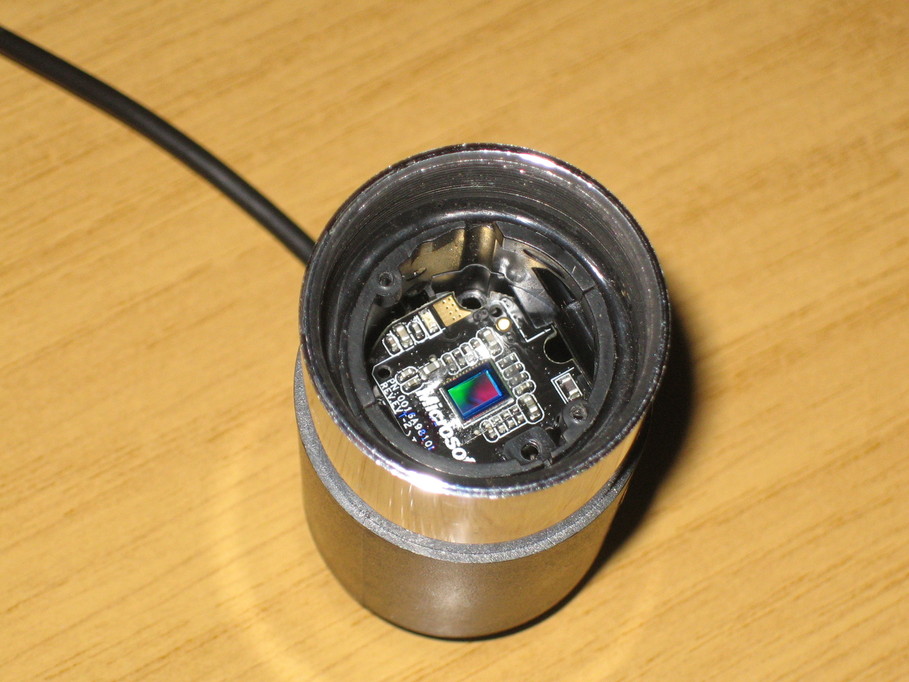
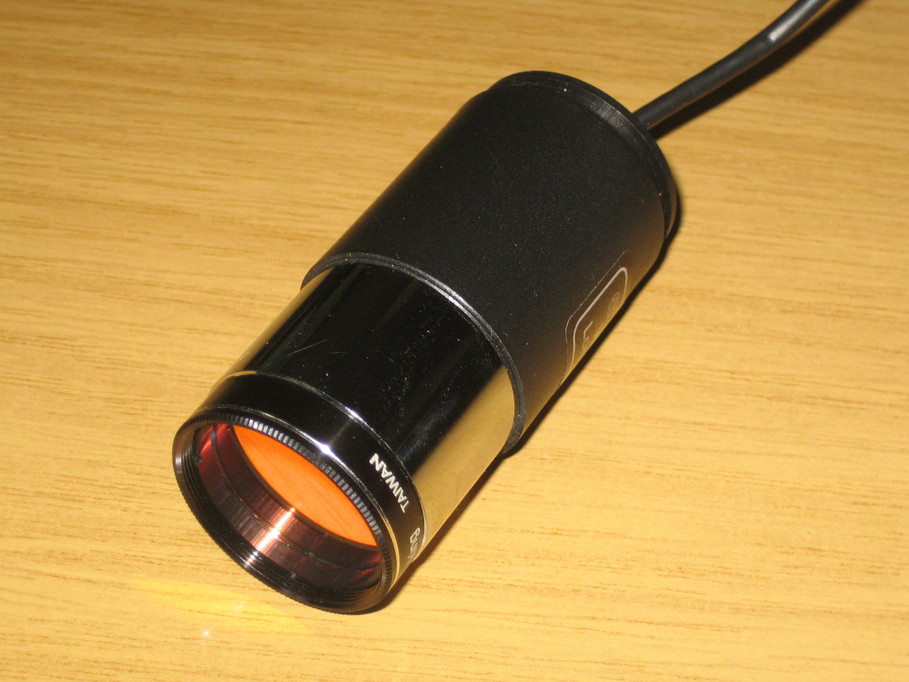
Thanks to the cloud rolling in rather early last night I decided to do the conversion of my Lifecam Cinema for astro use. I was intended to fit it into a Billetparts adapter, but they’re out of stock and I decided I couldn’t wait, so instead I’ve used one of the 25mm eyepieces that Skywatcher ship with so many of their scopes. Pulling off the eyecup and unscrewing the inner lens retainer was easy enough, all the lenses and spacers dropped out and I was left with a neat little package to fit the modded camera into.

For doing the mod I followed Gary Honis’s instructions, though with a few changes:

  1. Once the retaining circlip for the USB cable has been removed, it makes life easier if the entire cable is removed at this point. The ground clip is easy to ease off the casing using a small screwdriver and the USB plug can be gently levered out of the socket the same way. It has a lip on the side, so just put a small screwdriver under the lip and gently ease it out of the socket
  2. Once the microphone button has been removed, ignore the instructions to remove the two screws deep inside the casing. They’re a real pain to reach, almost invisible (mine were even painted black) and in fact they don’t actually hold the mount to the casing at all. I did the entire mod without touching them. Once you’ve removed the button and USB cable, skip straight to working on the front end of the camera.
  3. When you get to the stage of removing the long screw deep inside the camera, the entire mount will drop off in one piece.
  4. When it comes to removing the lens assembly, undo the two screws that hold it on first. Then apply the soldering iron to the solder pads. The lens is only surface-mounted and will just drop off.
  5. There’s an oval retaining clip around the hole for the microphone. I removed that when reassembling the camera as it was bound to fall out and or get broken at some point.

Once reassembled, I refitted the backplate to my camera and an O-ring over the front end of the camera body and slid it back into the eyepiece housing. The backplate fixes the rear of the camera body in place and the O-ring holds the front, so it can’t move about at all. To keep the sensor free of dust I fitted an IR filter into the original threads in the end of the eyepiece.

Thanks to Gary for doing the hard work in the first place. I’ve tested the camera and it responds to light, so I now look forward to using it as soon as the sky clears.

Posted in Astro Equipment, Astroimaging, Astronomy | Leave a comment

Chrooted SFTP for Linux

I had a few problems recently when I was trying to set up chrooted SFTP for a single user on a CentOS6 server. Whichever set of instructions I followed, I couldn’t get it to work for me. Eventually, combining information from a number of sources, I got it to work. Here’s how.

First create the user account. You can use /sbin/nologin for their shell as they’re never actually going to log in. Install the ssh keys and check that everything works as normal. I’ll assume that the user in this instance is called import and their group is named the same.

Edit /etc/ssh/sshd_config. I added to the end:

Match User import
    ChrootDirectory /srv/chroot/%u
    AllowTCPForwarding no
    X11Forwarding no
    ForceCommand internal-sftp

You can match more than one user, or a group if need more than one SFTP account. The %u here is replaced by the username. If you want to restrict people to their home directories use %h. I also had to change this line in the same
file:

Subsystem  sftp  /usr/libexec/openssh/sftp-server

to read:

Subsystem sftp  internal-sftp

Restart ssh using service sshd restart.

Create the chroot directory. In this case /srv/chroot/import. Make sure this and all parent directories are owned by root and not writeable by “group” or “other”. For example:

# mkdir -p /srv/chroot/import
# chown root:root /srv
# chown root:root /srv/chroot
# chown root:root /srv/chroot/import
# chmod 755 /srv
# chmod 755 /srv/chroot
# chmod 755 /srv/chroot/import

If you see an error in the logs relating to the permissions on the chroot directory later when you’re testing, it’s probably because you’ve gone wrong here. The ssh server checks the ownership and access rights for all the components of the chroot path.

Obviously there’s going to be a bit of trouble when our import user tries to upload their files here, because their chroot directory is only writeable by root. sshd won’t let you get away with changing this though, so create a subdirectory for uploads and allow the import user to write to it:

# mkdir /srv/chroot/import/upload
# chown import:import /srv/chroot/import/upload
# chmod 700 /srv/chroot/import/upload

At this point it should all work. SELinux can interfere with things, but that’s a whole different bag of oysters:

$ sftp import@10.20.30.40
Connected to 10.20.30.40.
sftp> ls
upload  
sftp> cd upload
sftp> pwd
Remote working directory: /upload
sftp> put testfile 
Uploading testfile to /upload/testfile
testfile                                  100% 2180     2.1KB/s   00:00    
sftp> ls
testfile
sftp> quit
$ 

Posted in Computing, Linux | Leave a comment

Xbox Skycam Falls at the Final Hurdle

I’ve been experimenting this evening with different lenses in the Xbox webcam. It looks like with a wide-angle lens with a field of view of 160 to 170 degrees the stars just don’t put enough light onto the sensor to be visible above the dark noise, if at all. In fact, whilst I could easily focus on Venus using the stock lens, with a 170 degree lens I couldn’t even find it at all.

I think that means that for a sky camera, unless it’s for somewhere with a particularly limited field of view, this camera is a non-starter. With the wide-angle lens in however it looks like it should work nicely as an analemma camera and that’s what I now plan to do with it.

For the sky camera I think I’m back to my original plan of using an LX modded SPC900.

Posted in Astroimaging, Astronomy, Projects | Leave a comment

qastrocam-g2 — Astro Image Capture for Linux

Today, pretty much by accident, I stumbled over qastrocam-g2. It’s an astro-imaging capture application for Linux. Thus far I’ve been muddling through with SharpCap, which is absolutely no criticism of that application at all. I just really can’t get on with Windows. I’ve used UNIX, Linux and other UNIX-like operating systems for over twenty-five years and Windows is just completely alien to my thinking.

The application claims to support QHY5 and QHY6 cameras natively as well as the SPC900, and to support cameras via the V4L2 interface (the PWC driver for the SPC900 kind of claims to be V4L2, but it’s exceptionally non-standard).

Anyhow, whilst qtastrocam-g2 gives the impression of being potentially moribund, source for the beta of the latest release is available from SourceForge, so I downloaded it and tried to build it on one of my Ubuntu 11.04 machines. I needed to install quite a few packages to get through the configuration steps. I started with these and they pulled in a whole heap of others:

  • libv4l-dev
  • libqwtplot3d-qt3-dev
  • libusb-dev
  • libcfitsio3-dev
  • libavifile-0.7-dev

After that I needed to patch all those files including the linux/videodev.h header to instead include linux/videodev2.h and libv4l1-videodev.h. I have a patch file for this, but I need to tweak wordpress to allow me to display it without mangling all the ‘<‘ and ‘>’ symbols. That done, everything went pretty smoothly.

First impressions are that it’s competent and fairly well done, though I couldn’t get the debayering to work. That is a bit strange on the SPC900 anyhow, so I may just have been doing things wrong. I’ll be using a different SPC900 for testing though, so I shan’t worry about that just yet. It does appear to support the SPC900 well, but newer cameras such as the Xbox Live and Lifecam Cinema are missing the V4L2 extended controls. I may well look at integrating those myself later.

Clear sky is forecast for this evening though the way the rain is presently hurling itself against my window does make me doubt the word of the Met Office. If it does turn out nice again however, I shall be giving the application a field test on Mars and Saturn tonight.

Posted in Astroimaging, Astronomy, Computing, Linux | 8 Comments

Xbox Live Camera on Linux (Part 5)

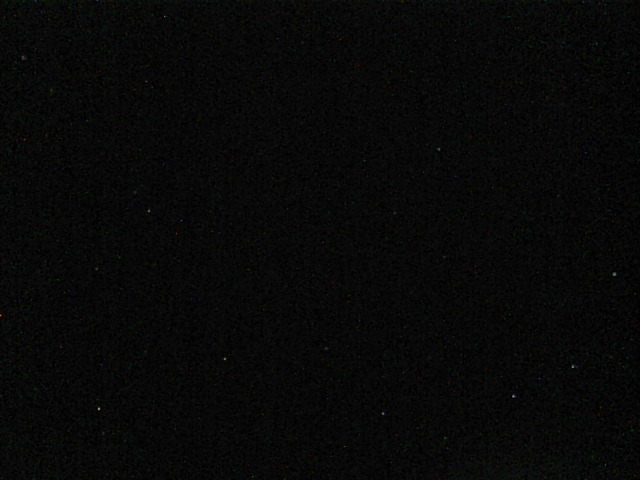
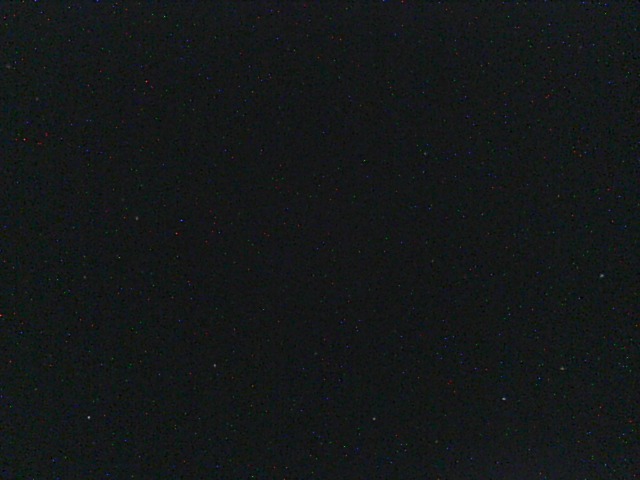
A brief gap in the clouds this evening gave me a window of about five minutes to test out a couple of Xbox cameras under a night-time sky. I took 30 frames of five seconds each, ten seconds apart. Here are the first and last frames from a camera that I’ve modded by removing the IR filter and killing the on-board LEDs. At the time I had the standard lens fitted.

It’s not visible at reduced resolution, but click on the images and there are most definitely a number of stars from Ursa Major showing up there. What is also sadly painfully obvious is the amount of sensor noise.

This is the first of a similar run from a camera with the LEDs killed, but with the IR filter still in place:

It may be partly down to the cloud cover, but the stars are nowhere near as obvious. I shall retry the test later in the week when we have clear skies forecast.

What was also interesting was that I’d left the front of the case off the second camera and the noise level was significantly lower. I’m going to have to try that with the IR cam to see if it makes as large a difference. Remounting the camera in a different housing and fitting a fan may well make sense.

Posted in Astroimaging, Astronomy, Computing, Linux | Leave a comment

Xbox Live Camera on Linux (Part 4)

The promised instructions on rebuilding the kernel UVC kernel module. Here’s what I did on my Ubuntu 11.10 Aspire 1. If you substitute in your own kernel version number then you should be ok if you’re running other releases. I may experiment with something RedHat-ish later to find out how to do it there. Because I’m lazy, and because I’ve spent many years working as a sysadmin, I do this all whilst logged in as root. I’ve reconstructed the sequence of commands from my shell history, so it should be correct, but let me know if you have problems.

# apt-get install linux-source-3.0.0 kernel-package linux-headers-`uname -r`
# cd /usr/src
# tar jxvf linux-source-3.0.0.tar.bz2
# cd linux-source-3.0.0
# ln -s /boot/config-`uname -r` .config
# ln -s /usr/src/linux-headers-`uname -r`/Module.symvers .

At this point you can patch the UVC driver, and assuming that went well, continue:

# make modules_prepare
# make M=drivers/media/video/uvc

And you should now have a re-built driver. To load it manually you can just do:

# insmod drivers/media/video/uvc/uvcvideo.ko ctrltimeout=10000 timeout=10000

But to get it loaded into the kernel automagically a little more work is required:

# mkdir -p /lib/modules/`uname -r`/updates
# cp drivers/media/video/uvc/uvcvideo.ko /lib/modules/`uname -r`/updates
# depmod -a
# echo "options uvcvideo ctrltimeout=10000 timeout=10000" > /etc/modprobe.d/uvcvideo.conf

The patched module should now be loaded when your camera is hooked up. To check that the settings have been changed you can see their current values using:

$ cat /sys/module/uvcvideo/parameters/ctrltimeout
$ cat /sys/module/uvcvideo/parameters/timeout

Or if you want to reload the module manually:

# modprobe -r uvcvideo
# modprobe -v uvcvideo

Posted in Astroimaging, Astronomy, Computing, Linux | 1 Comment

Xbox Live Camera on Linux (Part 3)

It seems I made an error in my initial attempt to get the exposure settings working for this camera in the uvcvideo driver. The camera appears to accept a far greater range of settings for exposure than I initially thought. After tinkering the with exposure settings for some time it seems to be the case that for values up to 25,000 the exposure setting actually represents the exposure time in units of 100μsec. Beyond that things get a bit non-linear. Whilst 25,000 looks to give an exposure time of 2.5 seconds, 25,001 suddenly jumps up to about 3.3 seconds, and by the time the setting has reached 35,000 then the exposure time is about 5 seconds. It does not appear to be able to increase the exposure time beyond five seconds, but initially that looks pretty good for a night-time sky camera.

So, my previous UVC driver patch needs modifying. Here’s the entire thing again. This time I’ve set the maximum exposure time to 50000 which seems a reasonable choice given that I can’t get exposures longer than five seconds. I’ve found it’s best to load this with the ctrltimeout and timeout parameters set to 10000. Lower values work for me for 640×480 resolution frames, but when I bumped the resolution up higher then I started getting timeouts again. Once again, be wary of whitespace changes.


--- drivers/media/video/uvc/uvc_ctrl.c~  2012-04-13 22:37:19.278971810 +0100
+++ drivers/media/video/uvc/uvc_ctrl.c  2012-04-18 13:46:46.916464906 +0100
@@ -963,9 +963,17 @@
     v4l2_ctrl->minimum = mapping->get(mapping, UVC_GET_MIN,
              uvc_ctrl_data(ctrl, UVC_CTRL_DATA_MIN));
 
-  if (ctrl->info.flags & UVC_CTRL_FLAG_GET_MAX)
+  if (ctrl->info.flags & UVC_CTRL_FLAG_GET_MAX) {
     v4l2_ctrl->maximum = mapping->get(mapping, UVC_GET_MAX,
              uvc_ctrl_data(ctrl, UVC_CTRL_DATA_MAX));
+    if ( v4l2_ctrl->id == V4L2_CID_EXPOSURE_ABSOLUTE &&
+        v4l2_ctrl->maximum == -1 &&
+        chain->dev->quirks &
+        UVC_QUIRK_XBOX_EXPOSURE_FIX ) {
+      uvc_trace(UVC_TRACE_CONTROL, "Xbox queryctl max exp. set to 50000.");
+      v4l2_ctrl->maximum = 50000;
+    }
+        }
 
   if (ctrl->info.flags & UVC_CTRL_FLAG_GET_RES)
     v4l2_ctrl->step = mapping->get(mapping, UVC_GET_RES,
@@ -1202,6 +1210,12 @@
            uvc_ctrl_data(ctrl, UVC_CTRL_DATA_MIN));
     max = mapping->get(mapping, UVC_GET_MAX,
            uvc_ctrl_data(ctrl, UVC_CTRL_DATA_MAX));
+    if ( max == -1 && xctrl->id == V4L2_CID_EXPOSURE_ABSOLUTE &&
+        chain->dev->quirks &
+        UVC_QUIRK_XBOX_EXPOSURE_FIX ) {
+      uvc_trace(UVC_TRACE_CONTROL, "Xbox max exposure set to 50000.");
+      max = 50000;
+    }
     step = mapping->get(mapping, UVC_GET_RES,
             uvc_ctrl_data(ctrl, UVC_CTRL_DATA_RES));
     if (step == 0)
--- drivers/media/video/uvc/uvc_driver.c~  2012-04-15 15:36:27.858728125 +0100
+++ drivers/media/video/uvc/uvc_driver.c  2012-04-13 22:29:55.556771975 +0100
@@ -47,6 +47,7 @@
 static unsigned int uvc_quirks_param = -1;
 unsigned int uvc_trace_param;
 unsigned int uvc_timeout_param = UVC_CTRL_STREAMING_TIMEOUT;
+unsigned int uvc_ctrl_timeout_param = UVC_CTRL_CONTROL_TIMEOUT;
 
 /* ------------------------------------------------------------------------
  * Video formats
@@ -2016,6 +2017,8 @@
 MODULE_PARM_DESC(trace, "Trace level bitmask");
 module_param_named(timeout, uvc_timeout_param, uint, S_IRUGO|S_IWUSR);
 MODULE_PARM_DESC(timeout, "Streaming control requests timeout");
+module_param_named(ctrltimeout, uvc_ctrl_timeout_param, uint, S_IRUGO|S_IWUSR);
+MODULE_PARM_DESC(ctrltimeout, "Control control requests timeout");
 
 /* ------------------------------------------------------------------------
  * Driver initialization and cleanup
@@ -2351,6 +2354,15 @@
     .bInterfaceProtocol  = 0,
     .driver_info    = UVC_QUIRK_PROBE_MINMAX
         | UVC_QUIRK_IGNORE_SELECTOR_UNIT },
+        /* Microsoft XBox Live USB Web Camera */
+        { .match_flags          = USB_DEVICE_ID_MATCH_DEVICE
+                                | USB_DEVICE_ID_MATCH_INT_INFO,
+          .idVendor             = 0x045e,
+          .idProduct            = 0x0294,
+          .bInterfaceClass      = USB_CLASS_VIDEO,
+          .bInterfaceSubClass   = 1,
+          .bInterfaceProtocol   = 0,
+          .driver_info          = UVC_QUIRK_XBOX_EXPOSURE_FIX },
   /* Generic USB Video Class */
   { USB_INTERFACE_INFO(USB_CLASS_VIDEO, 1, 0) },
   {}
--- drivers/media/video/uvc/uvc_video.c~  2012-04-13 22:31:47.037324898 +0100
+++ drivers/media/video/uvc/uvc_video.c  2012-04-13 22:31:04.009110557 +0100
@@ -75,7 +75,7 @@
   int ret;
 
   ret = __uvc_query_ctrl(dev, query, unit, intfnum, cs, data, size,
-        UVC_CTRL_CONTROL_TIMEOUT);
+        uvc_ctrl_timeout_param);
   if (ret != size) {
     uvc_printk(KERN_ERR, "Failed to query (%s) UVC control %u on "
       "unit %u: %d (exp. %u).\n", uvc_query_name(query), cs,
--- drivers/media/video/uvc/uvcvideo.h~  2012-04-13 22:27:33.248066424 +0100
+++ drivers/media/video/uvc/uvcvideo.h  2012-04-13 22:39:23.599589380 +0100
@@ -212,6 +212,7 @@
 #define UVC_QUIRK_FIX_BANDWIDTH    0x00000080
 #define UVC_QUIRK_PROBE_DEF    0x00000100
 #define UVC_QUIRK_RESTRICT_FRAME_RATE  0x00000200
+#define UVC_QUIRK_XBOX_EXPOSURE_FIX  0x00000400
 
 /* Format flags */
 #define UVC_FMT_FLAG_COMPRESSED    0x00000001
@@ -575,6 +576,7 @@
 extern unsigned int uvc_no_drop_param;
 extern unsigned int uvc_trace_param;
 extern unsigned int uvc_timeout_param;
+extern unsigned int uvc_ctrl_timeout_param;
 
 #define uvc_trace(flag, msg...) \

Posted in Astroimaging, Astronomy, Computing, Linux | Leave a comment

Xbox Live Camera on Linux (Part 2)

Last night I discovered that I wasn’t able to change the gain setting on the camera using the V4L2 API. No matter what setting I used all my captures turned out the same, using what I presume to be the default gain of setting of zero.

I know the gain settings can be changed under Windows, but I couldn’t see what I might be doing that was wrong and was on the point of abandoning the idea of using the camera when it occurred to me that perhaps the gain setting can only be altered after streaming from the camera has been started. This isn’t the case with exposure, which can be set before streaming starts. So as a last resort I re-coded my capture app to set the gain after enabling streaming and amazingly it all started working.

So now I just need to get some testing done under the stars. I’m a little concerned that using the “fish-eye” lens with such a large field of view I may not get enough light from a single star onto one pixel for it to give a clear image, but the only way to find out is to do some testing.

Posted in Astro Equipment, Astronomy, Linux, Projects | Leave a comment

Kernel Patch for Xbox Live Camera on Linux

I’ve done some more work on getting the Xbox Live camera to work properly on Linux this evening and have submitted a patch to the development mailing list. I don’t know if it will get included in some future driver release or be considered unsuitable, but it does at least make all of the problems I have getting the camera to work with the UVC driver and V4L2 go away.

The patch is below. It’s against the v3.0.0-generic kernel which as of the time of writing is the latest available for Ubuntu 11.10. It may well apply cleanly to the driver sources in both earlier and later kernel releases, but as yet I’ve not tried.

If you wish to use the patch you’ll need to be comfortable patching the kernel and rebuilding the UVC module. I’ll try to write up some details on that later. The module should work normally for all other cameras, but if you’re using the Xbox Live camera then you’ll need to use the ctrltimeout option to increase the timeout from the default. I found that increasing it to 1000 was insufficient, but that 2000 worked fine, so for the purposes of testing I’m doing something like:

insmod uvcvideo.ko ctrltimeout=2000

The patch also forces the reported maximum exposure setting for the camera to 255 if it would otherwise be set to -1. It’s clearly wrong that the minimum is reported as 1, the maximum as -1 and the default as 166, so I suspect this is a firmware issue in the camera and as such I’ve not made the correction optional.

And here’s the patch (whitespace may have been broken, so take care when applying it):

--- drivers/media/video/uvc/uvc_ctrl.c~  2012-04-13 22:37:19.278971810 +0100
+++ drivers/media/video/uvc/uvc_ctrl.c  2012-04-13 23:22:39.840119482 +0100
@@ -963,9 +963,17 @@
     v4l2_ctrl->minimum = mapping->get(mapping, UVC_GET_MIN,
              uvc_ctrl_data(ctrl, UVC_CTRL_DATA_MIN));
 
-  if (ctrl->info.flags & UVC_CTRL_FLAG_GET_MAX)
+  if (ctrl->info.flags & UVC_CTRL_FLAG_GET_MAX) {
     v4l2_ctrl->maximum = mapping->get(mapping, UVC_GET_MAX,
              uvc_ctrl_data(ctrl, UVC_CTRL_DATA_MAX));
+    if ( v4l2_ctrl->id == V4L2_CID_EXPOSURE_ABSOLUTE &&
+        v4l2_ctrl->maximum == -1 &&
+        chain->dev->quirks &
+        UVC_QUIRK_XBOX_EXPOSURE_FIX ) {
+      uvc_trace(UVC_TRACE_CONTROL, "Xbox queryctl max exp. set to 255.");
+      v4l2_ctrl->maximum = 255;
+    }
+        }
 
   if (ctrl->info.flags & UVC_CTRL_FLAG_GET_RES)
     v4l2_ctrl->step = mapping->get(mapping, UVC_GET_RES,
@@ -1202,6 +1210,12 @@
            uvc_ctrl_data(ctrl, UVC_CTRL_DATA_MIN));
     max = mapping->get(mapping, UVC_GET_MAX,
            uvc_ctrl_data(ctrl, UVC_CTRL_DATA_MAX));
+    if ( max == -1 && xctrl->id == V4L2_CID_EXPOSURE_ABSOLUTE &&
+        chain->dev->quirks &
+        UVC_QUIRK_XBOX_EXPOSURE_FIX ) {
+      uvc_trace(UVC_TRACE_CONTROL, "Xbox max exposure set to 255.");
+      max = 255;
+    }
     step = mapping->get(mapping, UVC_GET_RES,
             uvc_ctrl_data(ctrl, UVC_CTRL_DATA_RES));
     if (step == 0)
--- drivers/media/video/uvc/uvc_driver.c~  2012-04-15 15:36:27.858728125 +0100
+++ drivers/media/video/uvc/uvc_driver.c  2012-04-13 22:29:55.556771975 +0100
@@ -47,6 +47,7 @@
 static unsigned int uvc_quirks_param = -1;
 unsigned int uvc_trace_param;
 unsigned int uvc_timeout_param = UVC_CTRL_STREAMING_TIMEOUT;
+unsigned int uvc_ctrl_timeout_param = UVC_CTRL_CONTROL_TIMEOUT;
 
 /* ------------------------------------------------------------------------
  * Video formats
@@ -2016,6 +2017,8 @@
 MODULE_PARM_DESC(trace, "Trace level bitmask");
 module_param_named(timeout, uvc_timeout_param, uint, S_IRUGO|S_IWUSR);
 MODULE_PARM_DESC(timeout, "Streaming control requests timeout");
+module_param_named(ctrltimeout, uvc_ctrl_timeout_param, uint, S_IRUGO|S_IWUSR);
+MODULE_PARM_DESC(ctrltimeout, "Control control requests timeout");
 
 /* ------------------------------------------------------------------------
  * Driver initialization and cleanup
@@ -2351,6 +2354,15 @@
     .bInterfaceProtocol  = 0,
     .driver_info    = UVC_QUIRK_PROBE_MINMAX
         | UVC_QUIRK_IGNORE_SELECTOR_UNIT },
+        /* Microsoft XBox Live USB Web Camera */
+        { .match_flags          = USB_DEVICE_ID_MATCH_DEVICE
+                                | USB_DEVICE_ID_MATCH_INT_INFO,
+          .idVendor             = 0x045e,
+          .idProduct            = 0x0294,
+          .bInterfaceClass      = USB_CLASS_VIDEO,
+          .bInterfaceSubClass   = 1,
+          .bInterfaceProtocol   = 0,
+          .driver_info          = UVC_QUIRK_XBOX_EXPOSURE_FIX },
   /* Generic USB Video Class */
   { USB_INTERFACE_INFO(USB_CLASS_VIDEO, 1, 0) },
   {}
--- drivers/media/video/uvc/uvc_video.c~  2012-04-13 22:31:47.037324898 +0100
+++ drivers/media/video/uvc/uvc_video.c  2012-04-13 22:31:04.009110557 +0100
@@ -75,7 +75,7 @@
   int ret;
 
   ret = __uvc_query_ctrl(dev, query, unit, intfnum, cs, data, size,
-        UVC_CTRL_CONTROL_TIMEOUT);
+        uvc_ctrl_timeout_param);
   if (ret != size) {
     uvc_printk(KERN_ERR, "Failed to query (%s) UVC control %u on "
       "unit %u: %d (exp. %u).\n", uvc_query_name(query), cs,
--- drivers/media/video/uvc/uvcvideo.h~  2012-04-13 22:27:33.248066424 +0100
+++ drivers/media/video/uvc/uvcvideo.h  2012-04-13 22:39:23.599589380 +0100
@@ -212,6 +212,7 @@
 #define UVC_QUIRK_FIX_BANDWIDTH    0x00000080
 #define UVC_QUIRK_PROBE_DEF    0x00000100
 #define UVC_QUIRK_RESTRICT_FRAME_RATE  0x00000200
+#define UVC_QUIRK_XBOX_EXPOSURE_FIX  0x00000400
 
 /* Format flags */
 #define UVC_FMT_FLAG_COMPRESSED    0x00000001
@@ -575,6 +576,7 @@
 extern unsigned int uvc_no_drop_param;
 extern unsigned int uvc_trace_param;
 extern unsigned int uvc_timeout_param;
+extern unsigned int uvc_ctrl_timeout_param;
 
 #define uvc_trace(flag, msg...) \
   do { \
Posted in Computing, Linux | Leave a comment

SPC900 Camera on Linux

Because of the problems I’ve been having with the Xbox Live camera with my SheevaPlug I decided to give one of my SPC900 cameras a try. I don’t really want to use these as I had another purpose in mind, but they do at least seem to work pretty well under Windows. I’ve used one successfully for some time for planetary imaging and others are using them for guiding and DSO imaging with the long exposure mod.

Unfortunately as soon as I plugged it in I realised there was going to be trouble. On the SheevaPlug my capture application failed to report many of the controls. Looking at the PWC driver code it appears that it doesn’t support the V4L2_CTRL_FLAG_NEXT_CTRL flag for the VIDIOC_QUERYCTL ioctl call, so it isn’t possible for an application to enumerate all of the controls.

This appears to be fixed in (at least some of) the 3.0 series kernels, so if you’re running, for example, Ubuntu 11.10 then it should work, but as I can’t stand the Unity and Gnome 3 UIs that we seem to be stuck with on Ubuntu 11.10 I shan’t be using that if I have any other possible choice.

Posted in Astroimaging, Astronomy, Computing, Linux | Leave a comment