Shoddy Coronado PST build quality

The constant rain this weekend meant indoor activity was called for, so I started work on my new PST mod to move the BF5 filter closer to the camera in an attempt to reduce or perhaps even completely remove the vignetting that’s often a problem when imaging with this scope. More detail on that in another post, but in simple terms my plan was to remove the BF5 unit entire and make up a spacer to trap it against the casing of my ASI120MM when the 1.25″ nosepiece is screwed in.

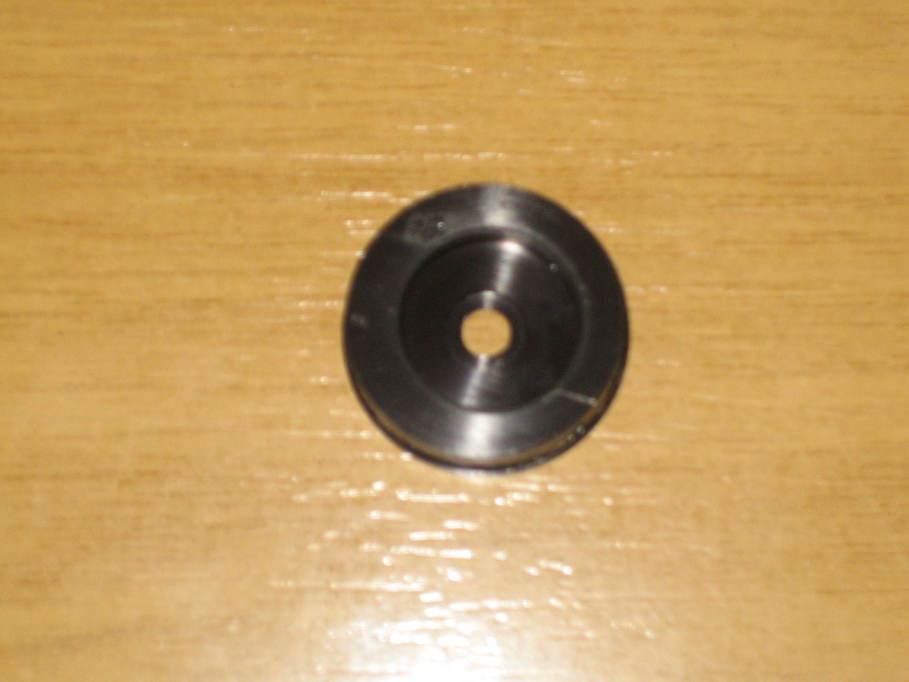
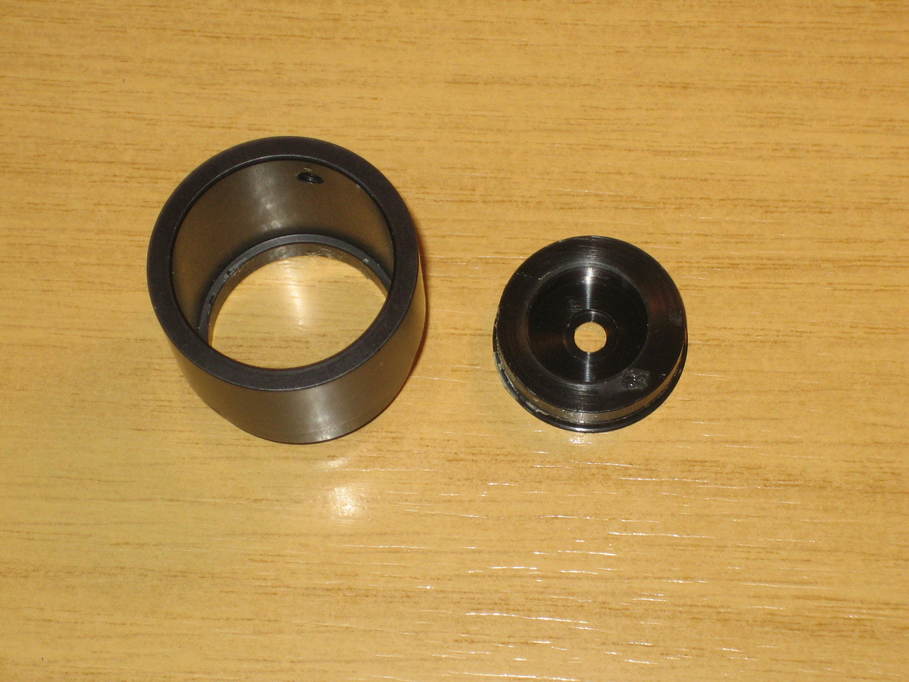
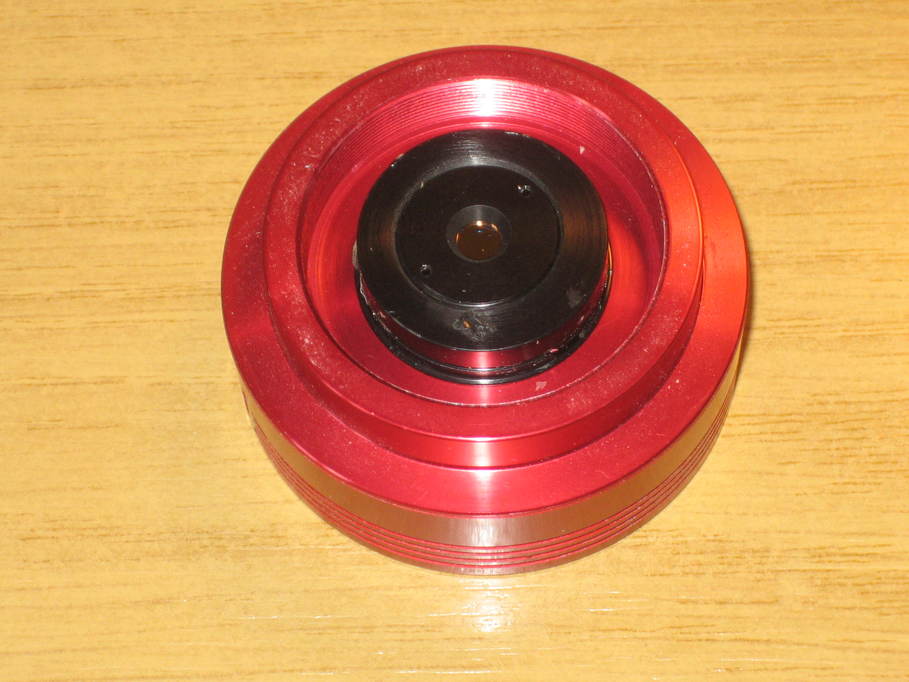
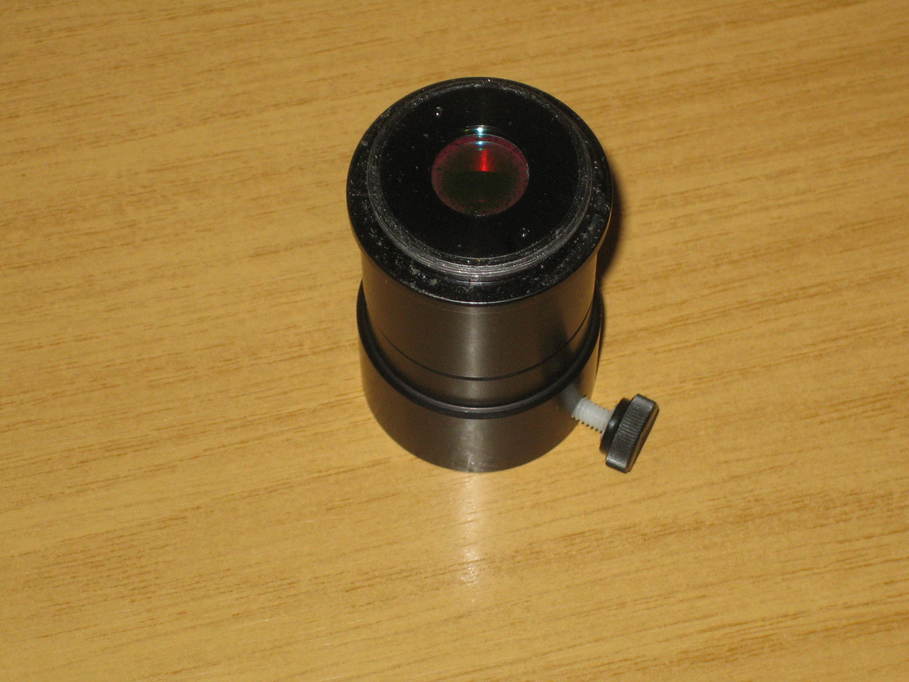
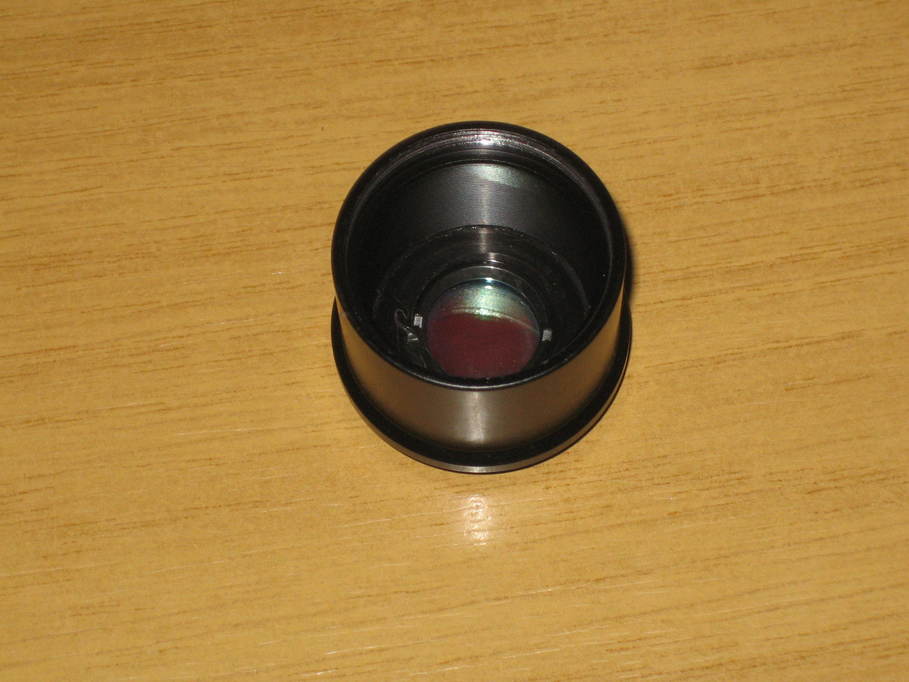
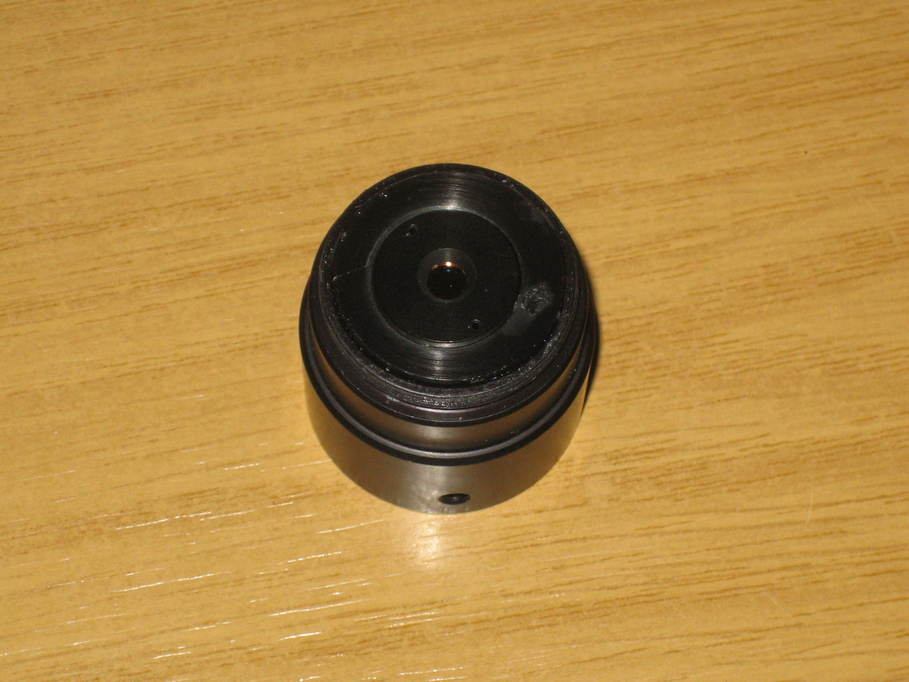
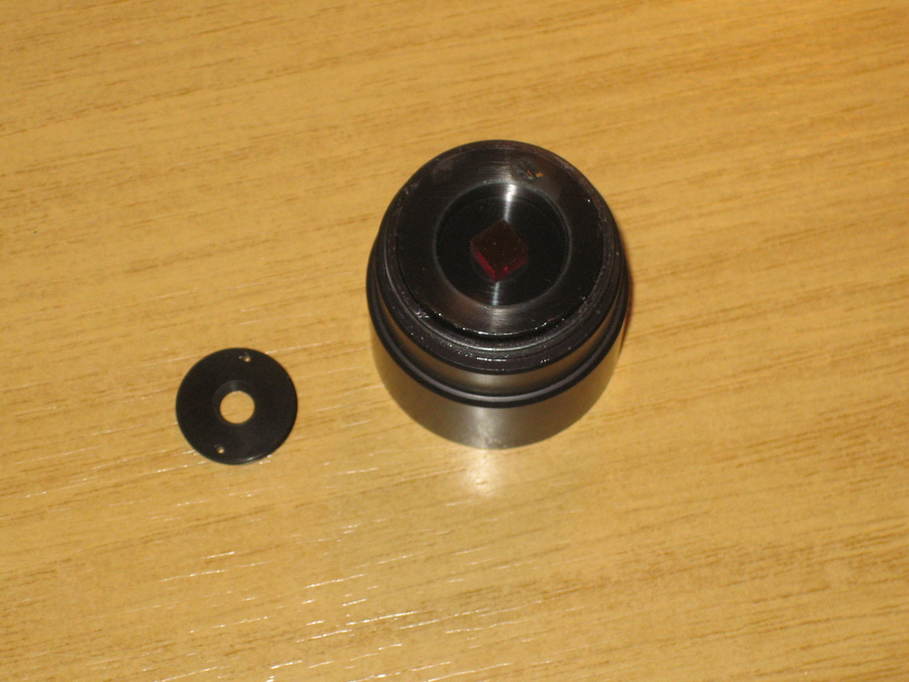
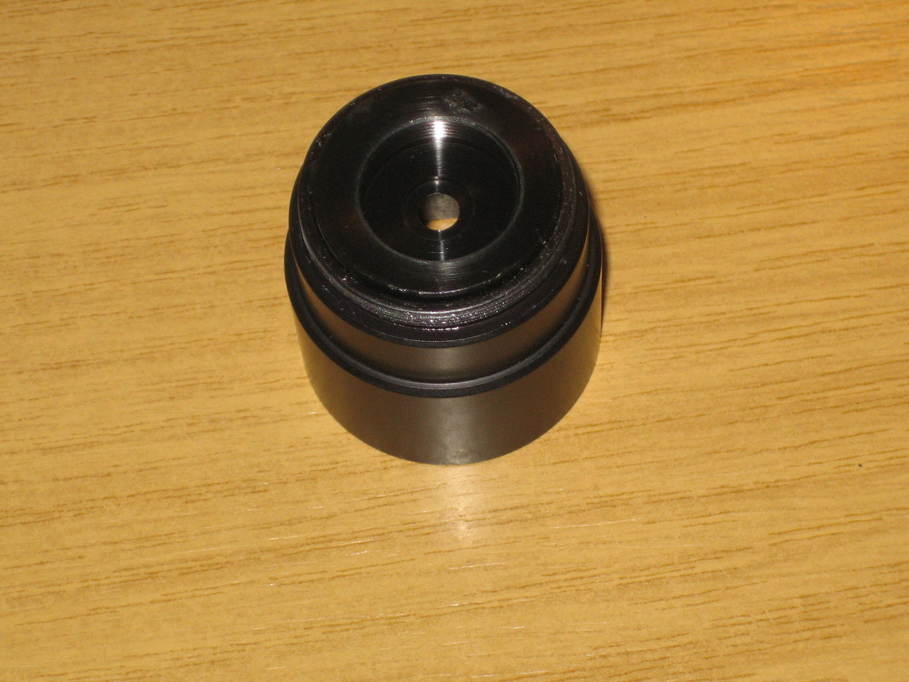
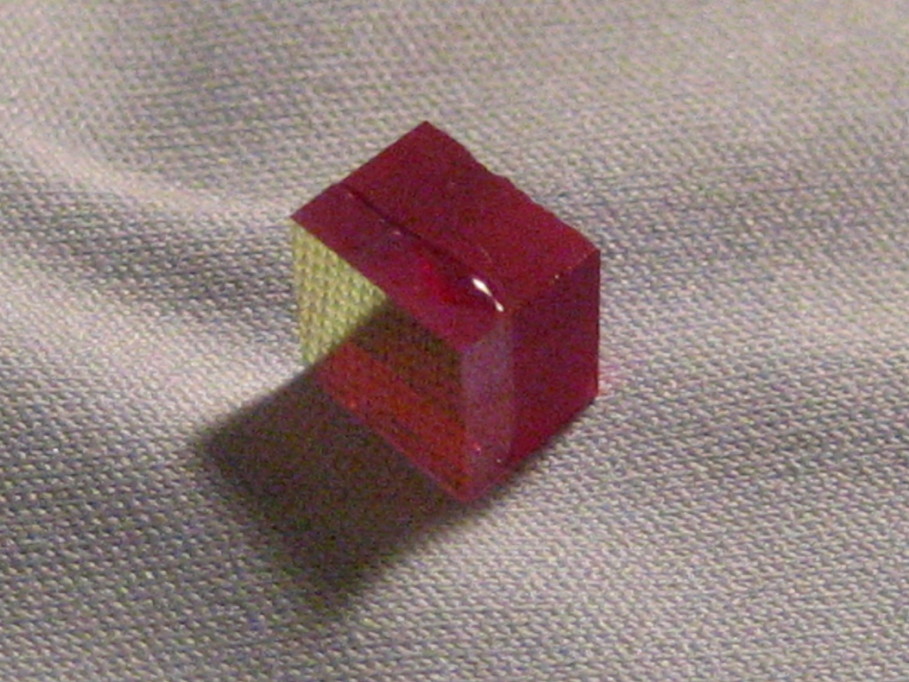
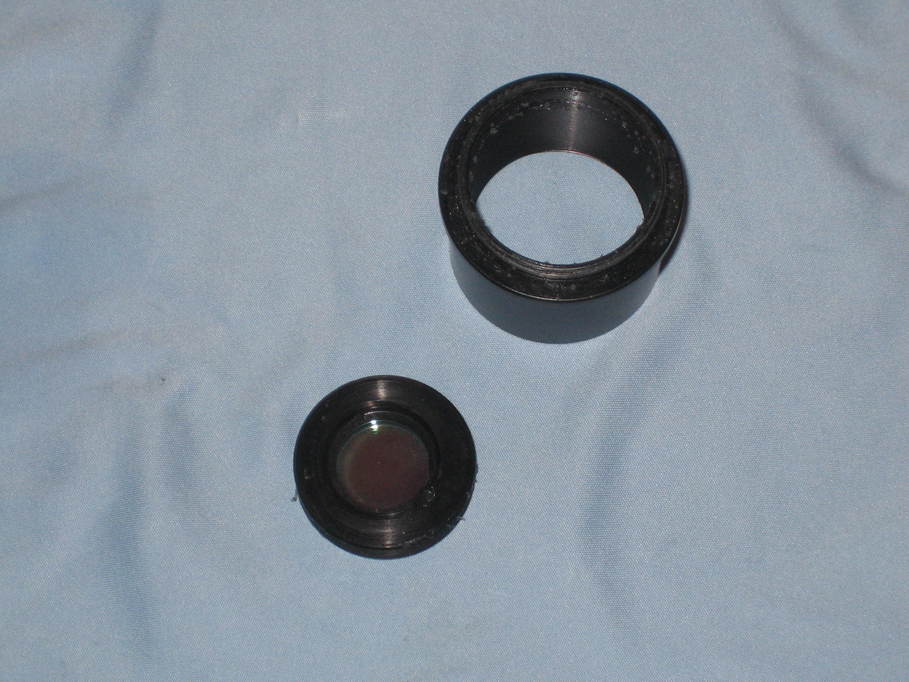
So I turned up the spacer from a piece of aluminium and when testing it for final fit, noticed something rather odd about the BF5 housing. Here’s a picture of it. Apologies for the poor quality. My compact camera isn’t great at these sorts of photos.

pst-eph-14

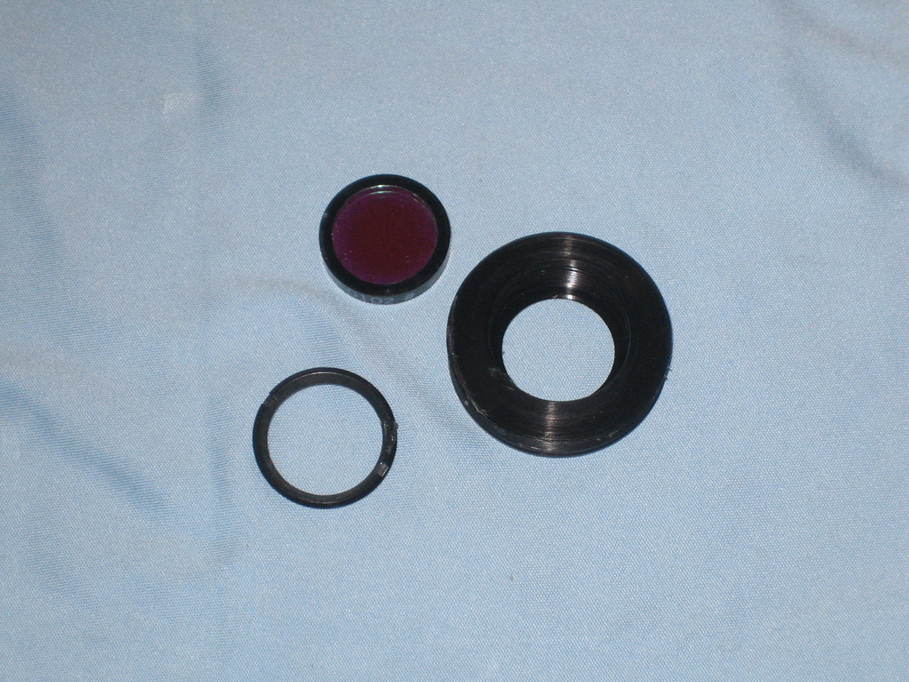
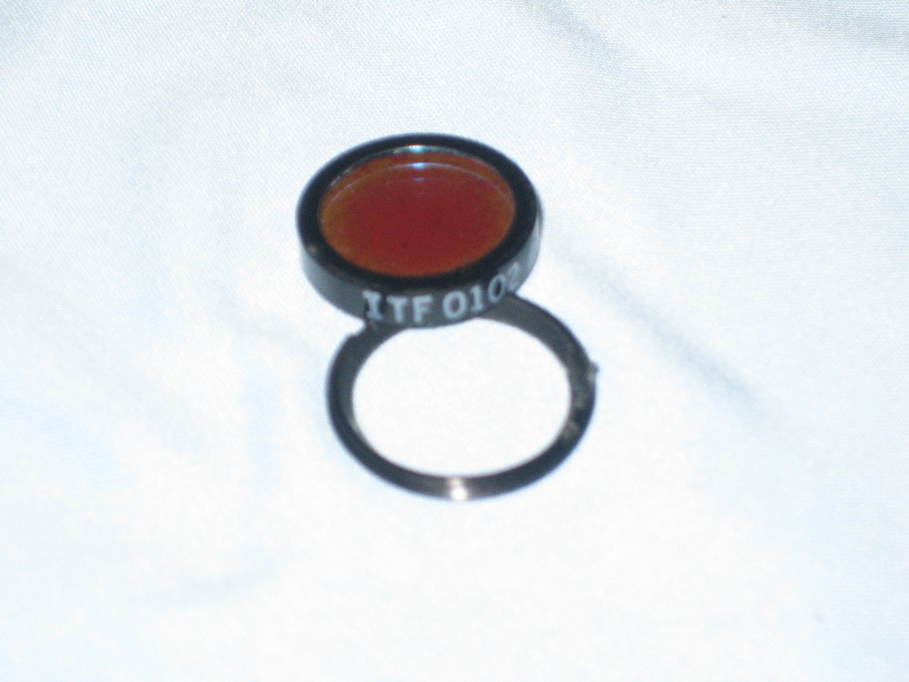
The design of the PST is such that the filter is barely big enough for the part of the light cone corresponding to the image of the Sun to fit through that 5mm hole and comments about vignetting when attempting to image with the PST are common. It’s really very tight, which means the construction needs to be quite accurate for it to work. But look again at the picture. Notice that the inner section is not actually concentric with the outside? The hole is central and the filter will sit central, but the retaining ring won’t be. Which means the two holes won’t line up. Measuring the difference I reckon that the hole in the retaining ring ends up about 1/6th of its width off the optical axis. And indeed when I reassemble the two parts without the BF5 in place it’s quite obvious that they don’t line up. I can’t see any way that isn’t going to have a noticeable effect on the image.

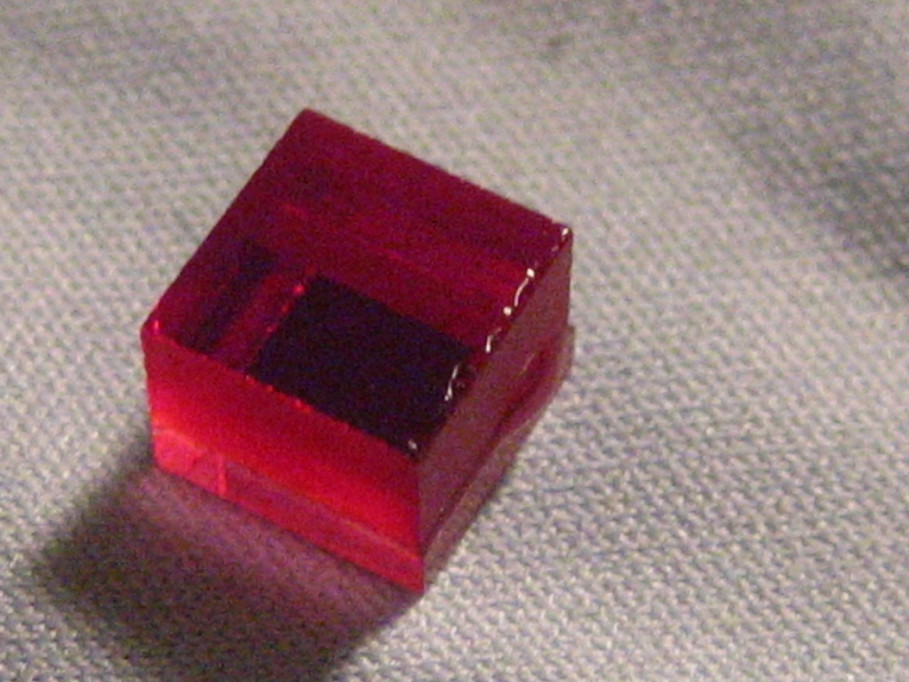
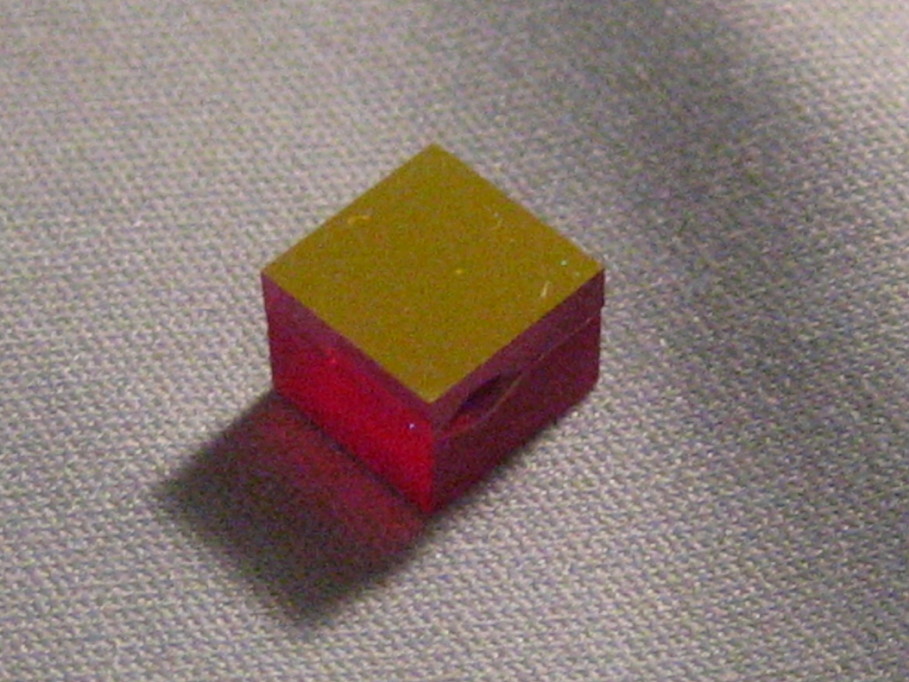
Fortunately I have a second unit (I use one with a diagonal for visual, and one “straight through” for imaging). When I took that apart it was nowhere near as bad, though hardly perfect by the standards of industrial production. I also noticed quite a significant difference with the BF5 itself. The second one was very cleanly cut with nice square edges all around. The first one looks like this:

pst-eph-08

All the “back” edges of the filter are damaged.

The worst thing about this is that unless you take apart all sorts of bits that Meade/Coronado never meant you to (because it’s all glued together with threadlock and takes some work to get apart), you can never find out these problems exist. How many people are not getting the performance they should from their PST because of problems they’re totally unable to diagnose, I wonder?

Posted in Astro Equipment, Astronomy | Tagged | Leave a comment

Swimming pool solar heating system

When we bought our current house quite some years ago, it had a reasonable size “in ground” swimming pool that was suffering a bit from lack of maintenance.  The re-made ground around the pool had settled over the years and many of the paving slabs laid on it had cracked, one of the skimmers had twisted and cracked for the same reason and leaked water from the pool, the pump bearings were shot and the heating system (which involved pumping the pool water through thirty-odd lengths of black hose mounted on a barn roof) didn’t work at all well.  The pool liner was also in need of replacement.

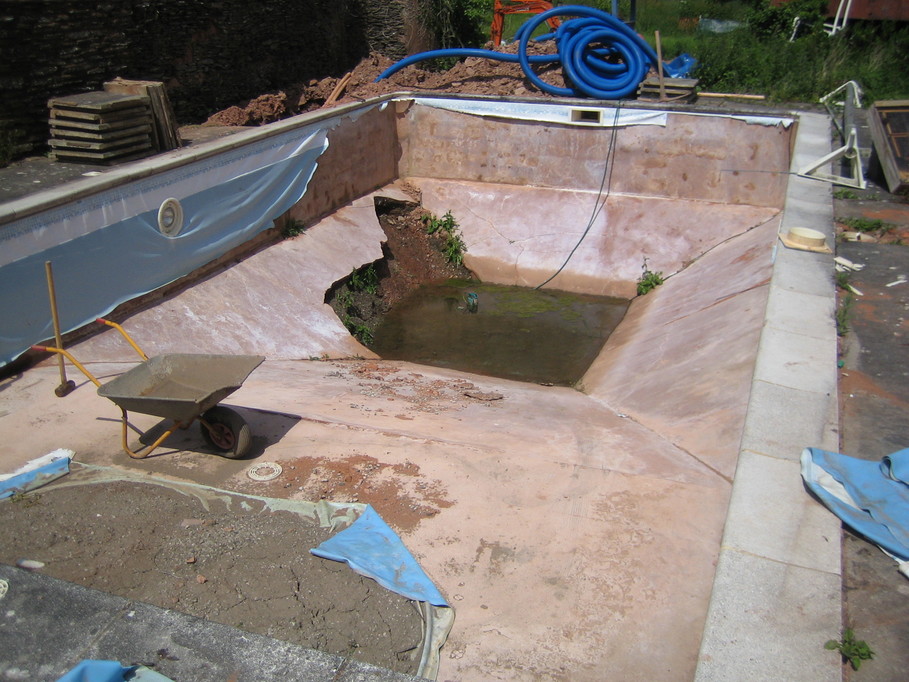
Some would question the sanity of an outdoor pool in the UK and I’d not necessarily disagree with them, but since it’s there we used it for a while until the pump had really had enough and then I decided to set about returning the pool to a decent state.  The first job was to replace the liner and put in a new skimmer to replace the cracked one.  It wasn’t until the liner was removed that I discovered the rendered inner face of the pool structure had also broken up in places and without the weight of the water was actually leaking groundwater into the pool.  Fixing that took some time as I ended up having to chop out lots of the collapsed rubble, build up the structure with concrete and then render over the top again, all whilst water was still trying to get in.  I put in some field drains around the outside of the pool which helped to control the water a little, but it didn’t entirely stop it. Here’s how it looked when I started:

pool-1

And after I’d made good the broken area:

pool-2

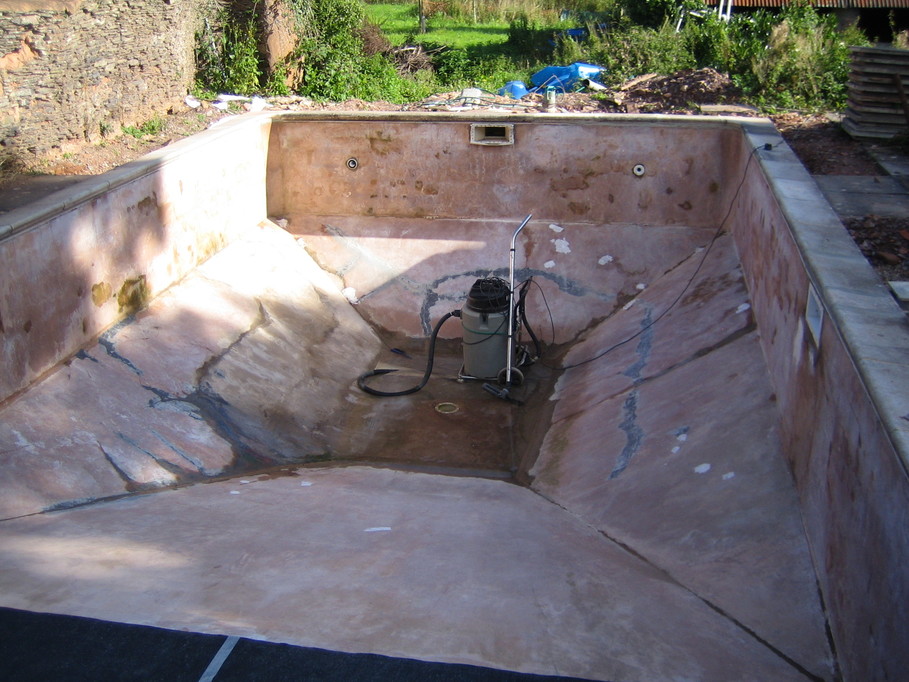
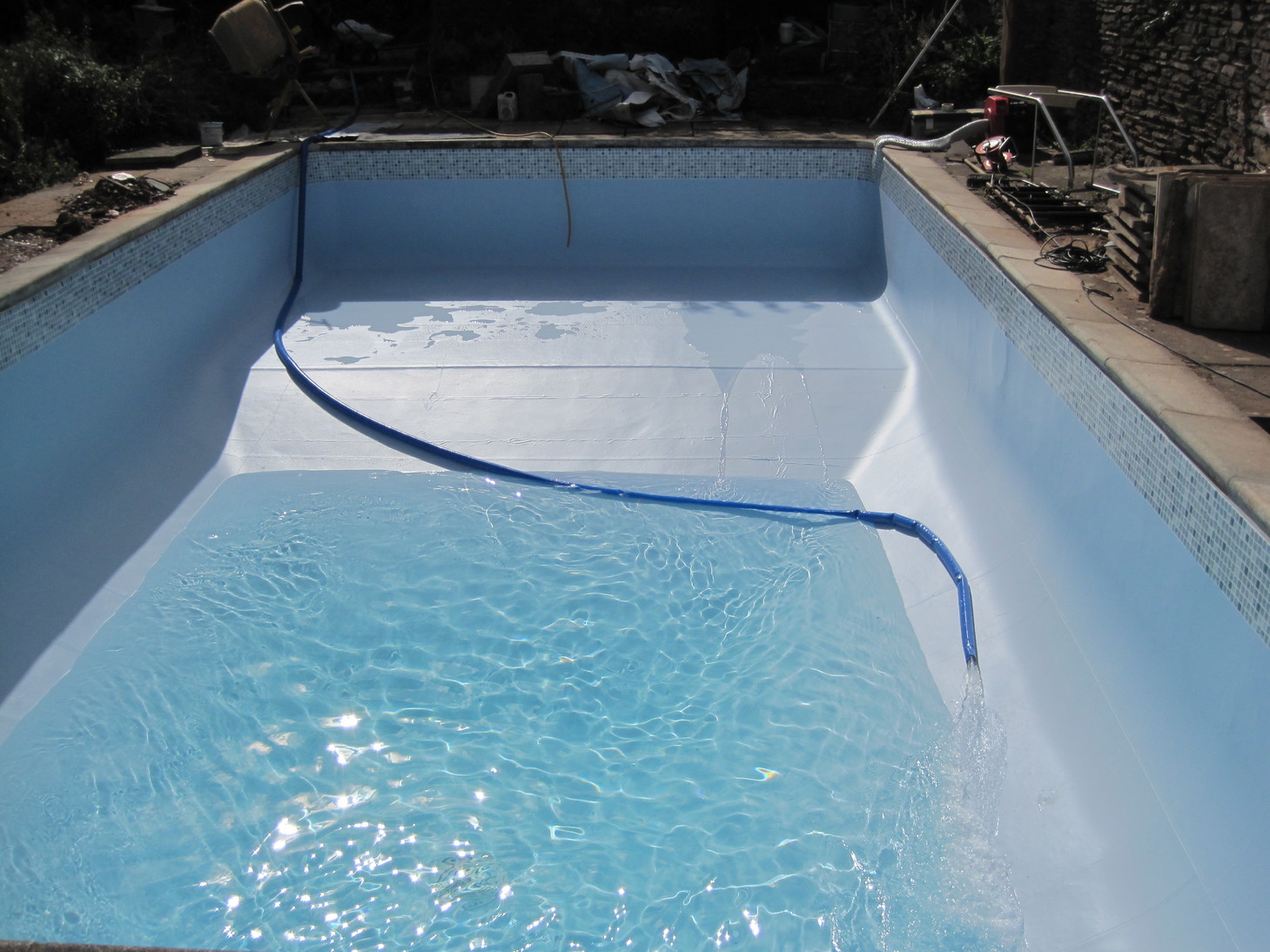
And with the new liner:

pool-3

That done I replaced the pump and then set about re-laying all of the slabs, making up the ground underneath properly and replacing the broken ones.  Having done a few other bits of maintenance the pool has actually seen a fair bit of use unheated this summer, but only because it’s been warm enough to heat the water in the pool directly.

The next stage is to build some more effective heating system for the pool water. Originally the pool water could be pumped through about thirty black pipes on the roof of a barn to heat the water, but the system leaked and never worked to my satisfaction. One of the major problems in replacing it however is that chlorinated water isn’t good to mix with copper pipework, so I’d have to do everything in ABS or stainless steel (the latter being far too expensive and too hard to work with).

Finally I decided to build a heat-exchange system, allowing me to keep the pool water in plastic pipe and use copper for the rest. The idea is to have an in-ground (for insulation) reservoir of water that is heated using flat-plate solar panels that I shall build myself. Water from the pool will then be run through that reservoir in small diameter pipes, being heated as it goes. The reservoir itself will be made of a concrete base with concrete block walls, waterproofed and insulated on all sides.

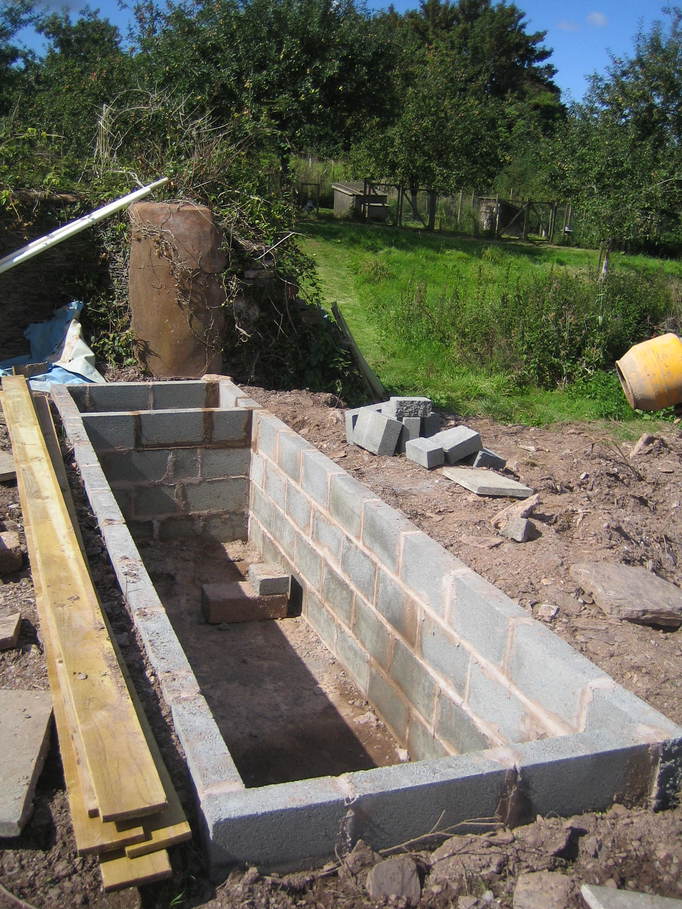
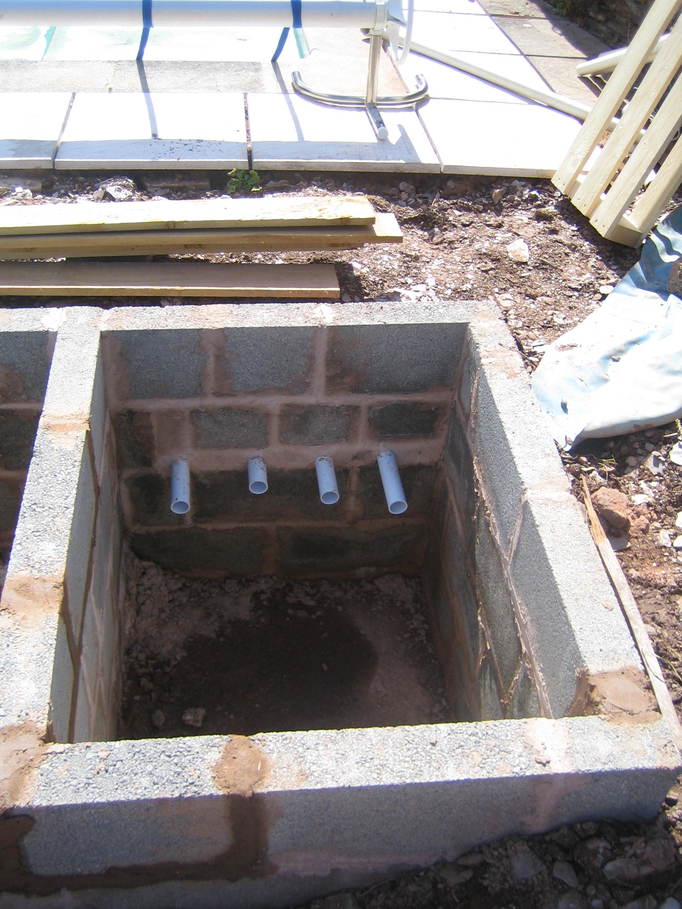
I’ve now completed the first stage — building the reservoir and space for the pumps:

heat-reservoir-01

heat-reservoir-02

The larger section, about 1.2m by 0.9m by 4m will be waterproofed and insulated before being filled with water. The smaller section will hold the pumps. Fitting the waterproofing and insulation will be the next step.

Posted in Projects | Tagged , | Leave a comment

Coronado PST eyepiece holder disassembly part 2

I got brave this evening and disassembled the eyepiece holder to the point I’d reached as described a few days ago. I then examined the BF5 housing and decided that it appeared to fit into the eyepiece holder from the top. This seemed counter-intuitive given the design of the lower half of the holder which appears to be intended to trap the housing against the upper half. Anyhow, as there was no obvious means to gain purchase on the housing to turn it, I thought I’d give it a bit of a push up through the holder to see if anything happened.

Somewhat unbelievably given that just about everything else that comes apart on the PST is smothered in threadlock, it gave quite easily and I was able to push the housing out of the top of the eyepiece holder, leaving me with this:

pst-eph-12

There’s a flange on the housing that rests on top of a shoulder inside the eyepiece holder. Interestingly, the flange is quite a snug fit in the bottom of the holder whereas it’s very loose at the top, so the inside of the holder must be tapered.

So, my plan is now to turn a retaining ring with a T2 thread on the outside and either a 1,.25″ nosepiece or a thread to fit the lower half of the eyepiece holder on the inside, with a shoulder to hold the entire BF5 unit central in the ASI120 thus:

pst-eph-13

The measurements I’ve taken from the camera and BF5 unit are:

ASI120 sensor to flange: 12.5mm
ASI120 flange to case: 7.5mm
ASI120 sensor to case: 5mm
BF5 housing depth: 8.5mm
BF5 retaining ring thickness: 2mm

This would give a “sensor to front of BF5” distance of 11.5mm. That’s 0.4mm more than I think I need to get an image with no vignetting, but perhaps worth a go nonetheless. If I drill the retaining ring out to 5.5mm then it will hopefully mean that any vignetting occurs at the edges of the sensor and doesn’t affect the actual image of the Sun.

Posted in Astro Equipment, Astronomy | Tagged | Leave a comment

When life gives you lemons, make lemonade

But when it gives you apples, make cider…

And to that ends I’ve just taken delivery of a new apple “scratter” for pulping apples before pressing them to extract the juice.  I used to use a manual crusher, but it’s a slow process when you want to try to press a large volume of apples and something of a slog to do by oneself, hence the move to automation.  It’s really not much more than a standard garden shredder with some of the parts replaced by stainless steel, as iron and steel will react with apple juice and turn it black.

apple-mill

Posted in Cider-making, Smallholding | Tagged | Leave a comment

Coronado PST eyepiece holder disassembly

Following on from my thoughts that I might have to move the blocking filter on my modded PST closer to the camera sensor, I decided to take it apart to see what I might be dealing with.  Though I’ve got rid of the “black box” on mine, the holder is still exactly as it came off:

pst-eph-01First step was to split the barrel into its two component parts.  Easier said than done.  Everything is welded together with thread-lock and it just didn’t want to budge.  By coincidence I had some large soft rubber tree ties arrive this afternoon and by wrapping one around each half of the barrel I was eventually able to get them to turn without having to resort to tools.  This is the inside of the bottom half.  Despite the fact that it cannot have been apart since it was assembled at Meade’s factory, the inner face of the ITF was disgustingly dusty.  So bad, in fact, that I think it’s quite clear even in this photo.

pst-eph-02


And the top half, with the retaining ring for the BF5 blocking filter visible:

pst-eph-03I unscrewed the retaining ring to find that the filter is actually a block of material rather than a sheet as I was expecting:

pst-eph-04It’s loose, just sitting in a slight circular depression inside the body:

pst-eph-05Apologies for the quality of these next few pictures.  I forgot how poor the digital macro is on the camera I was using.  These show three views of the blocking filter.  You can see how raw the back (camera side, rather than objective side) edges of the filter are 🙁

pst-eph-06 pst-eph-07 pst-eph-08There were some large dust particles on the gold face of the filter, too.  I took the opportunity to clean the faces, but I think perhaps it’s partially scratched (again, how?  It’s never been opened since it left the factory).

It seemed to make sense to have a go at cleaning the ITF too, so I unscrewed the ITF body from the bottom section of the eyepiece holder:

pst-eph-09It’s threaded, but also held in with some nasty rubbery adhesive as well.  The “inside” of the ITF unit has a retaining ring in, so I also removed that and dropped out the ITF itself:

pst-eph-10Another poor photo, but there’s some writing on the side:

pst-eph-11The ITF is “outside up” in this photo.  The upper face goes towards the objective.  I gave the ITF a light clean with a microfibre cloth and left things there.

I estimate that the blocking filter is about 4mm thick.  I measured across the sides with vernier calipers and they were 6mm, but I wasn’t going to touch either optical face.  Allowing 2mm for the retaining ring and another 2mm for the housing, that doesn’t leave me with much to play with if I want to have the filter no more than 11.1mm from the sensor to avoid vignetting.  I’m going to have to give this a fair bit of thought, I think.  Worth it, given that the alternative is probably $500-worth of BF-10 diagonal 🙁


Posted in Astro Equipment, Astronomy | Tagged | 2 Comments

Another possible PST mod

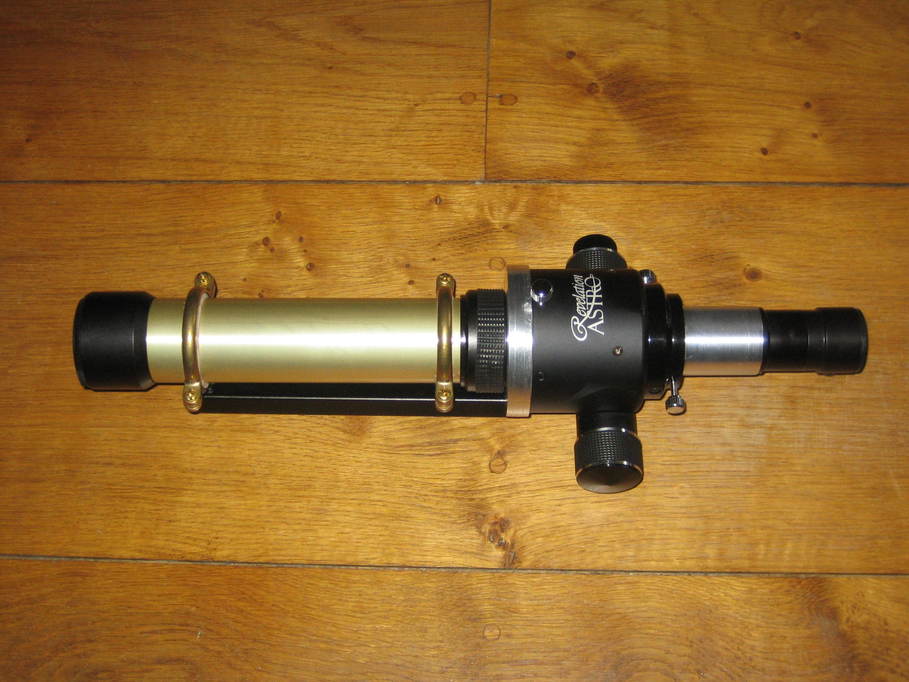
My PST has been repeatedly modded and now looks like this:

adaptor-fitted

(though now with the addition of a motor to the focuser.)

I have been pondering of late however on the amount of vignetting that occurs when imaging and what might be done about it.

Looking up the maximum angular diameter of the Sun, I calculate that the maximum size of the solar disc on the camera sensor with this scope as about 3.8mm.  Say 4mm to allow for proms.  The BF5 blocking filter is about 45mm in front of the camera sensor in the optical train.  I calculate that in order to achieve an image with no vignetting at that point, the actual diameter of the filter would need to be about 8.05mm.

So, I’m thinking about possibly taking the eyepiece holder apart and making up an adapter with an M42 (T2) external thread to fit a camera that can hold the lens very close to the camera sensor.  The lower section of the eyepiece holder with the mini-ERF would then have to fit to the front of that.  I’d also need to extend the optical train in front of the ERF by the same amount as I’d removed by placing the filter and ERF so close to the eyepiece.

My calculations suggest that a 5mm filter needs to be at most 11mm from the sensor to give a view without vignetting.  I’m told that it may also be possible to open the filter out to 6mm, in which case I can probably go to 22mm from the sensor.

First however I need to defeat all the threadlock that’s liberally splashed over the inside of the eyepiece holder so I can take it apart and get all the filters out.

Posted in Astro Equipment, Astronomy, Projects | Tagged | Leave a comment

FireWire/IIDC over USB camera support in oaCapture

I’ve had a cheap little Point Grey monochrome USB Firefly MV camera sitting about for some time. I don’t know if they’re still around, but they used to sell on ebay for not very much. Point Grey are one of the enlightened camera vendors who provide an SDK and plenty of examples of how to use their cameras, including on Linux.

What I realised shortly after starting to read through the documentation however was that the Firefly MV and the Chameleon USB cameras actually implement the IIDC protocol (basically the IEEE1394 protocol used for FireWire cameras) over USB. As there’s already a library for Linux implementing that protocol and supporting these cameras over USB, it seemed sensible to use it, particularly as the code would them port directly to OSX.

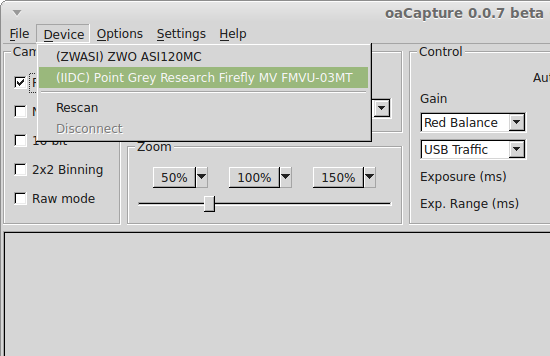
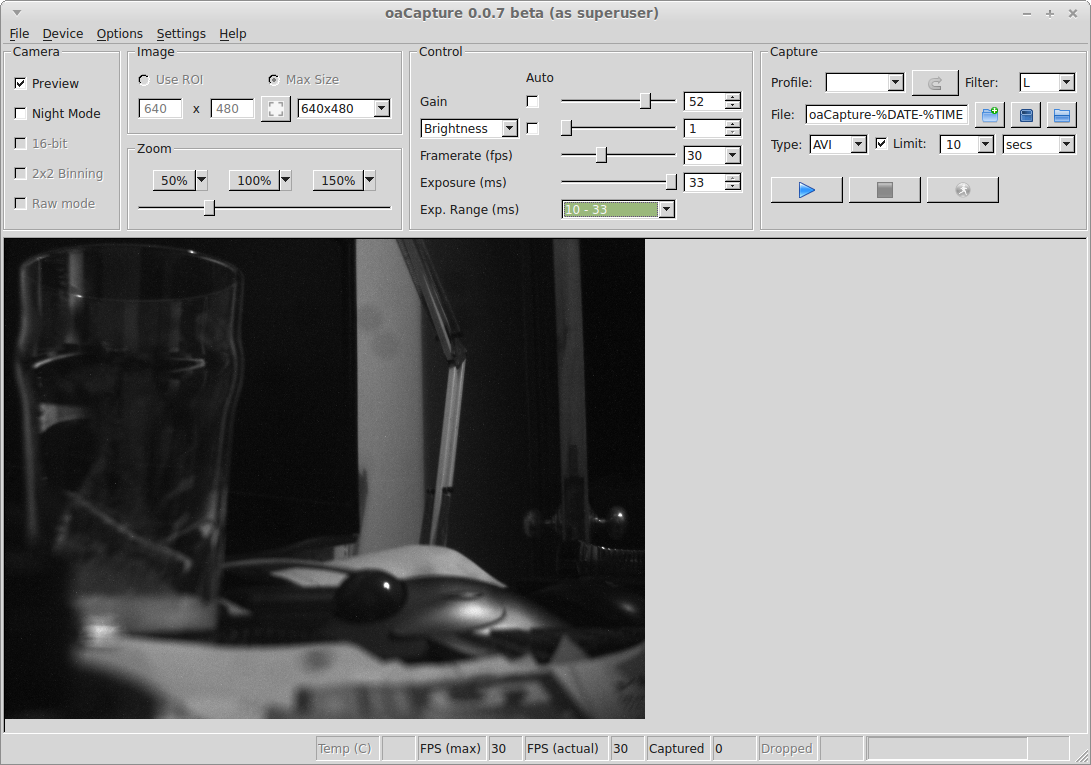
So, a little coding later and I now have support for these two Point Grey cameras in oacapture:

firefly

firefly

There are a couple of unexpected bonuses, too.

The Atik GP camera is in fact a Point Grey Chameleon in a different skin. A chameleon twice over, no less. I therefore believe that it should also work with oaCapture. In fact, there are quite a few USB cameras implementing the IIDC protocol from the likes of Basler, IDS, Imaging Source, Leopard, Lumenera, Point Grey and Ximea. These all stand a chance of working though the IEEE1394 library may need tweaking to recognise them.

The second bonus is that FireWire cameras may also work out of the box. I have absolutely nothing to test with in this instance though, so I really can’t be sure. I’m trying to find a cheap FireWire camera for that purpose.

Posted in Astro Equipment, Astronomy, Computing | Tagged , | Leave a comment

AZ3 mount saddle and counterweight mod

There are a couple of things about my AZ3 that I’ve never been happy with. The first is that it has fittings for scope rings rather than a saddle for a dovetail which is a pain if you want to swap between scopes (or put an OTA on that is awkward to fit rings to). The second is that the OTA doesn’t tend to stay where it’s put near the zenith. I decided to fix both of these issues by fitting an aftermarket saddle and a counterweight bar.

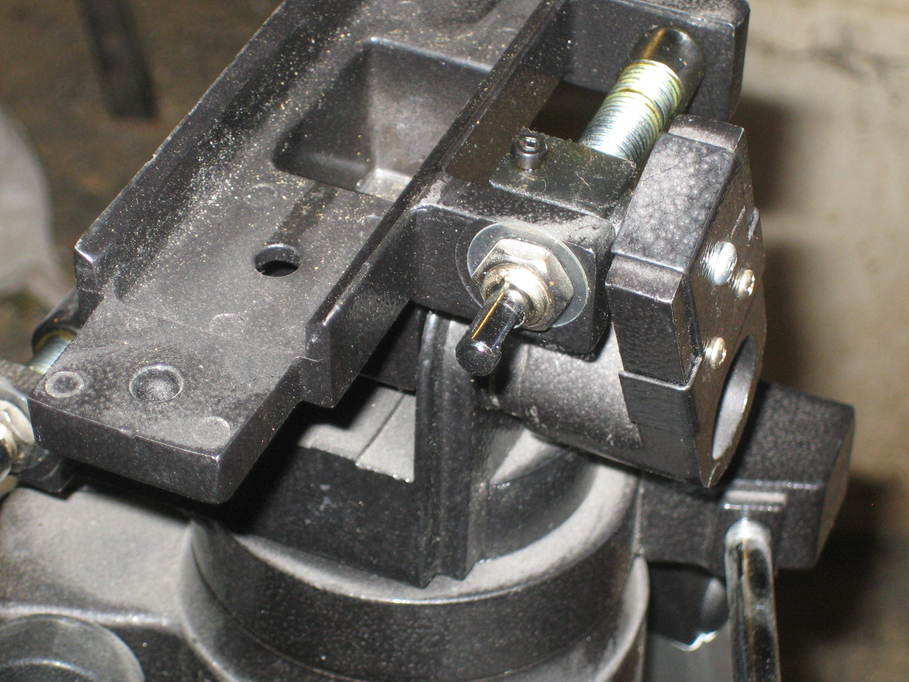
The counterweight bar came from Astroboot though I was tempted to use some 22mm stainless bar and probably would have done so had the easy option not presented itself. I bought a saddle from Sky’s the Limit and realised there was going to be a small problem fitting it in that the grub screw tensioning the alt movement was going to foul the bottom of the saddle:

az3-1

I undid the nut and threaded retainer for the worm, removed it and flipped the block the worm passes through over so the grub screw was underneath. It’s still reachable should I need to use it, but now out of the way of the saddle.

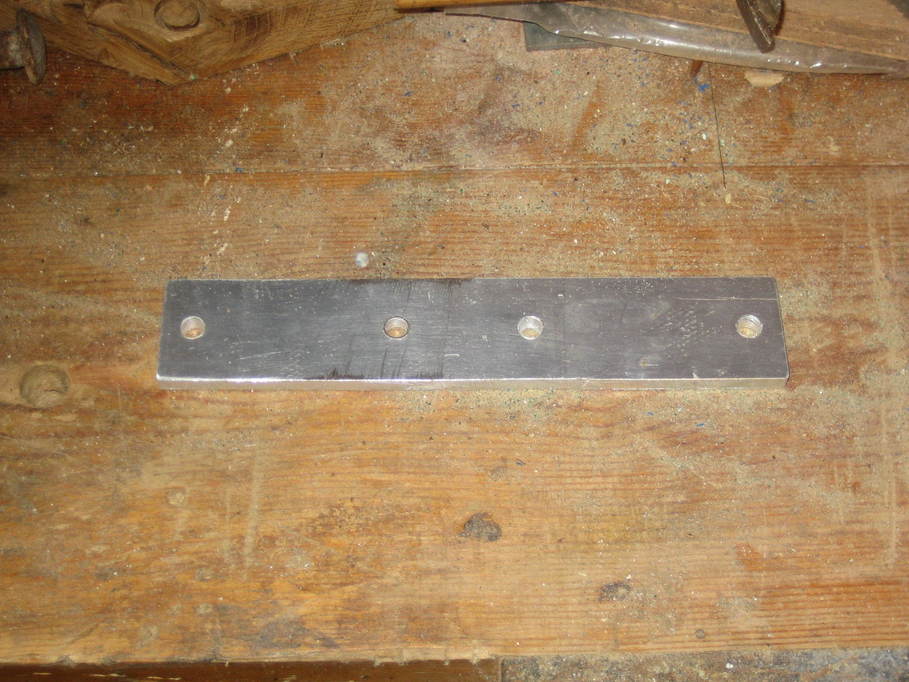
I then made up a piece of 5mm aluminium plate to fit down the centre of the top of the mount, drilled so it could be bolted on where the rings would normally go and for the saddle to be attached:

az3-2

After I took this photo I actually put another hole in as it later allowed me to put one bolt through the saddle, retaining plate, mount and counterweight bracket all in one go.

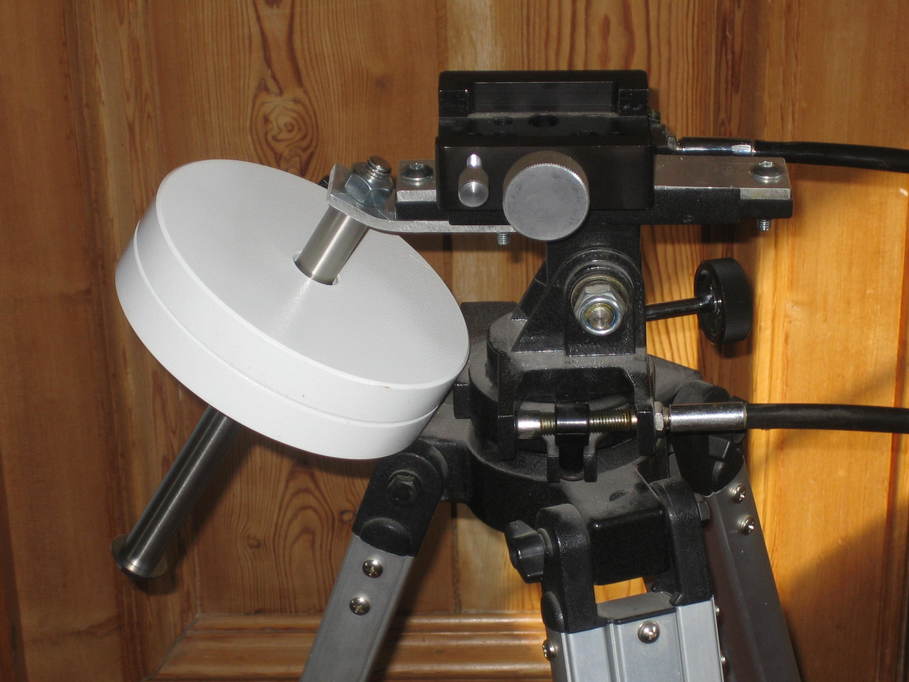
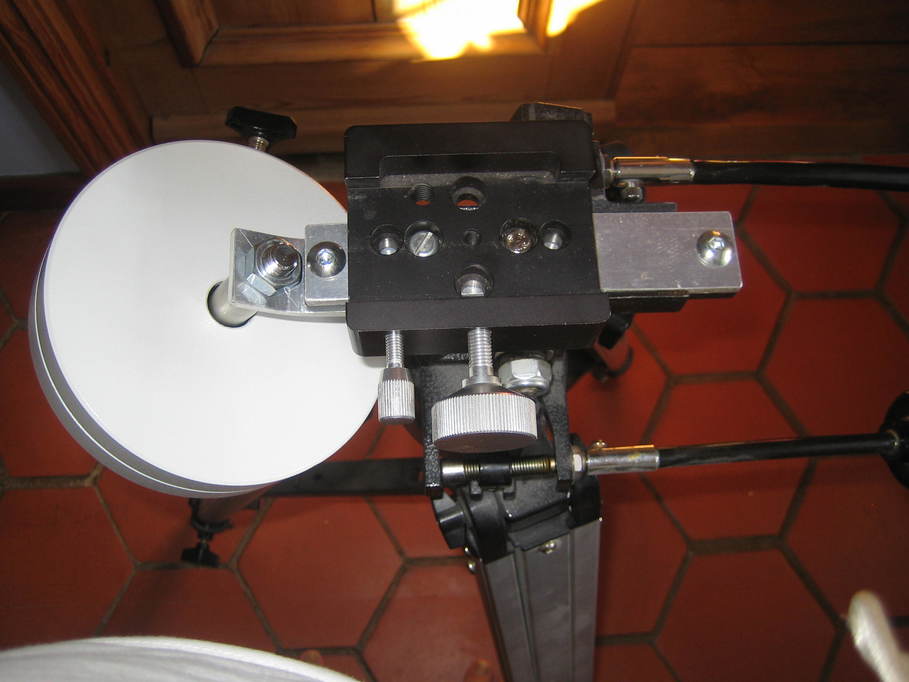
The counterweight bracket itself was similarly cut and drilled, bent slightly to push the counterweight bar out at an angle.

That was pretty much it, really. Then everything just needed bolting together:

az3-3

az3-4

The weight is a spare from my HEQ5. I could really do with something smaller, but for the photos this one was handy.

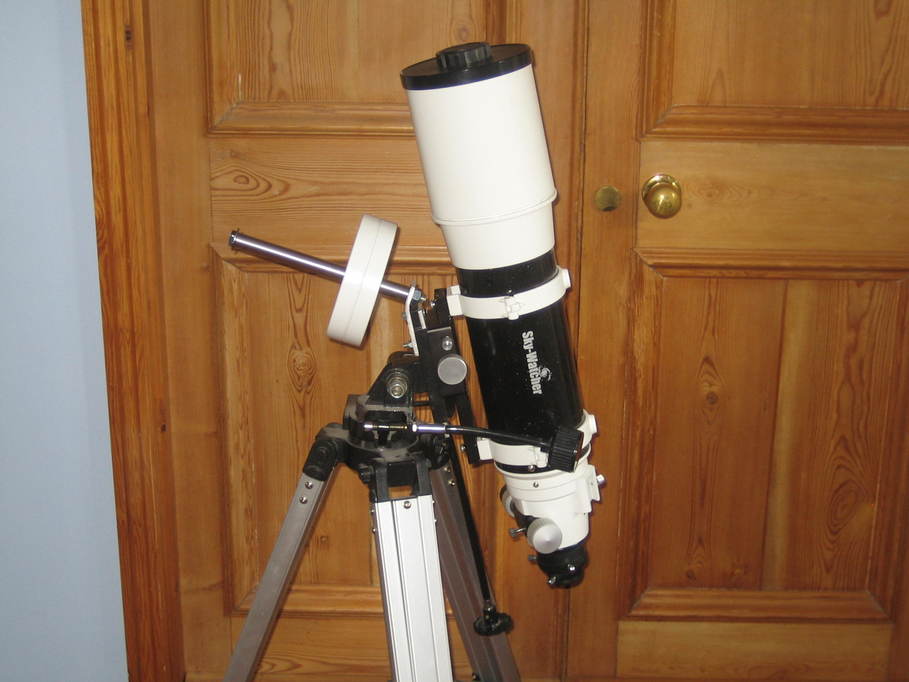
And here’s my ST120, riding at a rather jaunty angle…

az3-5

Posted in Astro Equipment, Astronomy, Projects | Tagged | Leave a comment

ASI120MM-S first impressions

The ASI120MM-S (and ASI120MC-S) are new versions of the ASI120MM (and ASI120MC) cameras from ZWO with a new USB3 interface rather than the USB2 interface in the original models. Mine arrived a few weeks ago though I’ve had no chance to actually try it out for real imaging yet, so these are my initial observations based on testing on my desk.

The camera arrives with pretty much the same kit that the USB2 model had:
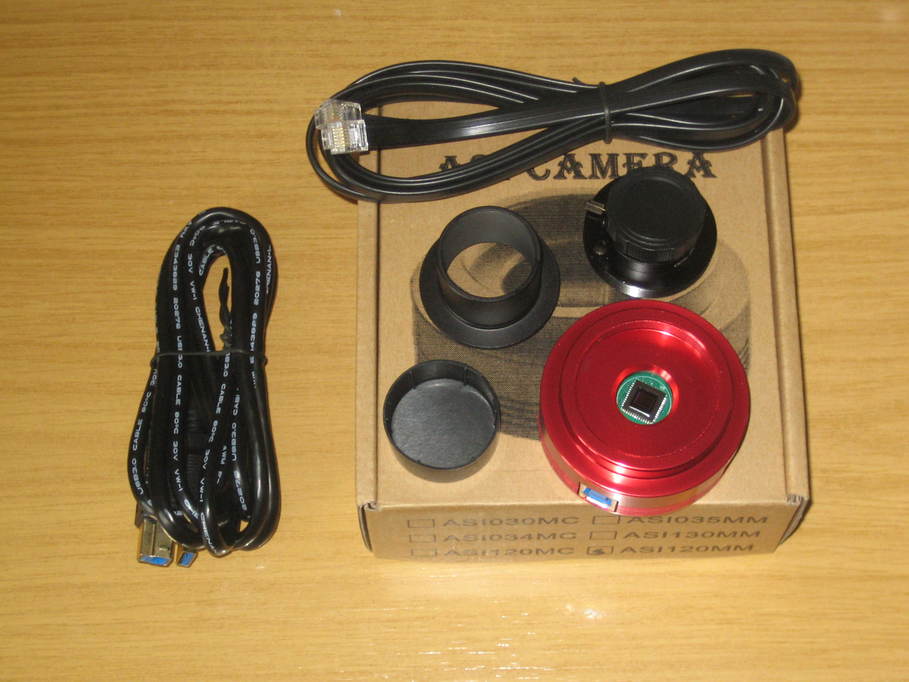
asi120mm-s-1

As well as the camera body itself there’s a CCTV lens and cap (in the photo above the lens is already inserted into an adapter to fit the M42 thread on the front of the camera; the lens has a standard C/CS size thread), a 1.25″ adaptor and cap, a USB3 lead and an ST4 cable.

The photo also shows that compared with some of the earlier USB2 camera models the sensor window has been considerably reduced in size. My early 120MM has a threaded opening large enough to accept a 1.25″ filter (into which I have fitted a clear optical flat to try to keep the sensor clean). I believe as a result of numerous people raising the issue of keeping the sensor clean on the older models this new one has a clear window permanently fitted (I believe the MC model uses an IR-cut window but I’m not certain).

The USB socket on the camera is the new USB3 standard B socket. I assume that the extra depth required to mount this on the PCB is also the reason for the camera body being a couple of millimetres deeper than the original model:
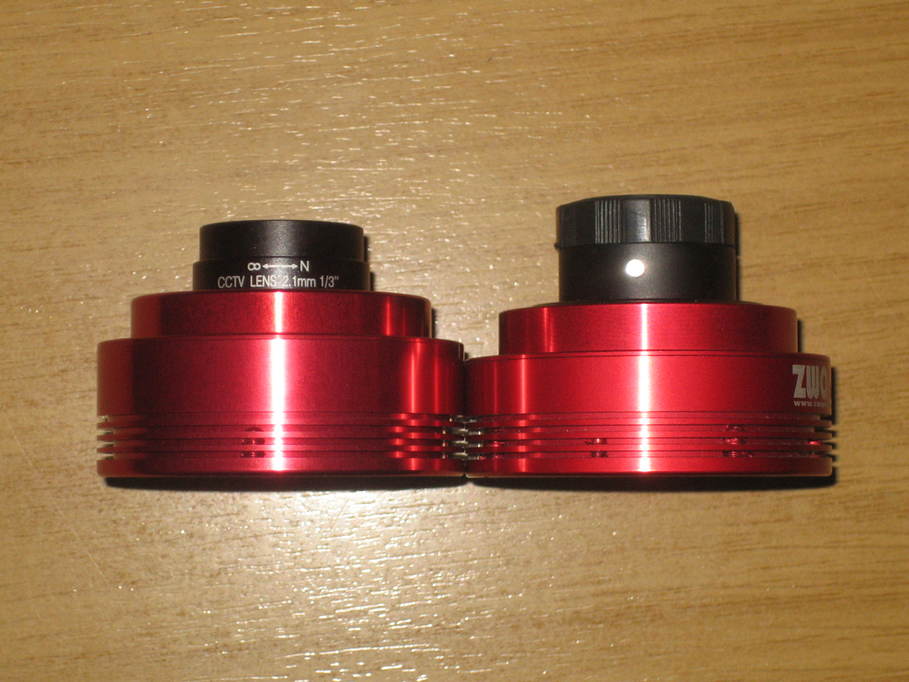
asi120mm-s-2

(The older model is on the right with the lens cap still on.)

In terms of software support, the new camera works quite happily with Fire Capture, SharpCap, oacapture etc. though a new version of the drivers is required. It’s also desirable to update the capture software as there is a new “overclock” setting that doesn’t exist on the older cameras. And for Apple users the good news is that the USB3 interface appears to work nicely on Apple hardware whereas the older camera needed different firmware which resulted in reduced performance.

And what about performance? I struggle not to get broken frames on my original ASI120MM with a USB Traffic setting higher than 40, so I ran some benchmarks (this is just transfer rates, not saving frames to disk) with the USB Traffic setting at 40 in 8-bit mode and an exposure time of 3ms. The frame rates achieved were as follows:

Resolution Framerate
1280×960 13fps
800×800 26fps
800×640 33fps
640×480 55fps
320×240 240fps

With the ASI120MM-S I can adjust the USB Traffic setting through the full range from 40 to 100 and the overclock setting from 0 to 30 without broken frames. Varying those two settings but leaving the exposure time at 3ms the new camera gave me the following results.

Resolution Overclock = 0
USB Traffic = 40
Overclock = 30
USB Traffic = 40
Overclock = 0
USB Traffic = 100
Overclock = 30
USB Traffic = 100
1280×960 24fps 31fps 55fps 71fps
800×800 55fps 71fps 72fps 87fps
800×640 80fps 103fps 84fps 116fps
640×480 110fps 142fps 110fps 142fps
320×240 224fps 290fps 224fps 290fps

(These are all measured with oacapture, but I understand other people are getting pretty similar figures from FireCapture and SharpCap, and I found pretty much the same results on my Linux desktop and my MacBook Pro.)

Depending on the settings it appears that the new camera can handle from approximately double to around triple the frame rates of the older model at anything but the smallest frame sizes. These figures are a little below what’s advertised on the ZWO website, but a) that’s marketing for you, and b) I’ve made no attempt to optimise the performance of the test machine for capture in any way at all. I’m sure I could push those rates up a little if I were desperate to do so.

The real question I guess is how useful this increase in frame rates is. For solar and lunar imaging I think it could be a real benefit being able to sustain high frame rates at full resolution. For planetary imaging I’m really not sure at the moment. On the one hand it’s all very well being able to do 100fps, but if you have to reduce the exposure time and wind up the gain to be able to actually produce frames at 100fps perhaps it isn’t such a great idea. Pure throughput may not be the only reason for considering these cameras however. The new USB3 model seems very stable where the USB2 version could be a bit less reliable and sometimes produced broken frames when approaching the limits of its performance or occasionally just wouldn’t work with some USB chipsets. And if you want to use Apple hardware the new camera is definitely an improvement.

There’s also the issue of hard disk speed to consider. 70fps at full frame resolution is going to produce a huge amount of data — about 1GB every twelve seconds or so I reckon. I shouldn’t be surprised to find that the IO subsystem on many peoples’ imaging machines becomes the bottleneck at that point.

Fortunately I discovered very recently that 1TB SATA III SSDs are now available 😀
Posted in Astro Equipment, Astroimaging, Astronomy | Tagged , , | Leave a comment

Support for Imaging Source cameras on OSX in oaCapture

I’ve done a fair bit of hacking on Ken Tossell’s userspace UVC camera library of late, adding support for bulk mode transfers, extending support for some other features and fixing a few bugs.  That doesn’t necessarily help me on Linux, but it does mean that I can start to support UVC cameras on the Mac, and in particular the Imaging Source USB CCD astro cameras (DMK21, DMK31, DMK41 and their colour equivalents) and also the Celestron Skyris models based on the same hardware.  As the historic line from TIS appears to have been “there will be no support for these cameras on the Mac” this seems like quite a step forward.

Unfortunately there are plenty of other TIS USB cameras that still aren’t supported.  Apparently the CMOS models use a different interface.  I don’t have any of those and they’re not commonly used for astroimaging, so support for them seems unlikely in the short term.

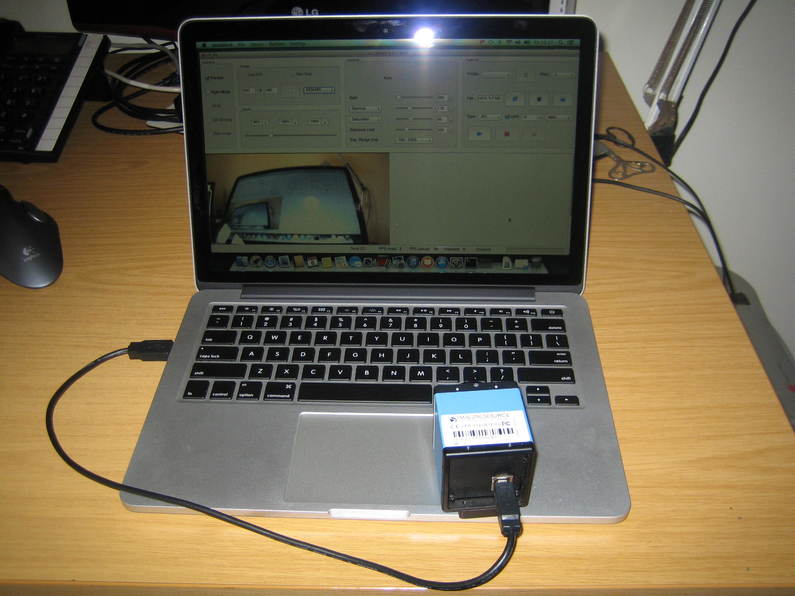
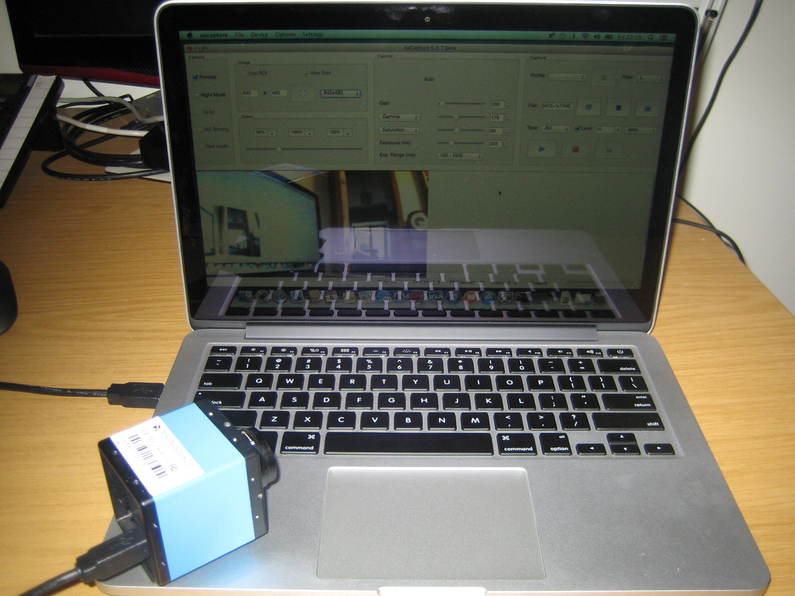
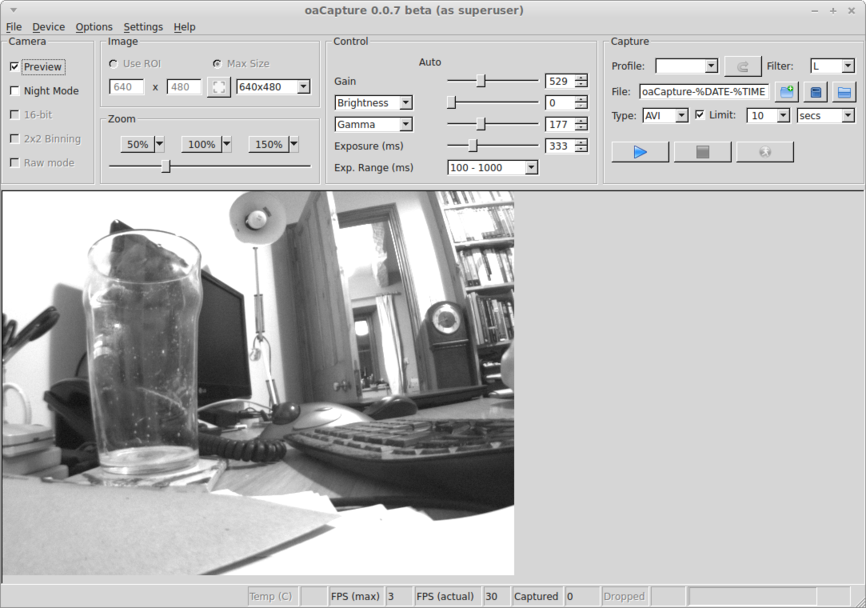
Here’s a couple of pictures of the DFK21 working on my MacBook and then a screenshot of the DMK21 from the same machine:

dfk-osx-1 dfk-osx-2 dmk-osx

Posted in Astro Equipment, Astronomy, Computing | Tagged | 5 Comments